Phone App to Measure Kelvin & Lux: The Complete Guide

Phone Apps That Measure Kelvin and Lux: What They Do and How to Use One
Two of the most useful things you can know about any light are its color and its brightness — in technical terms, its color temperature in Kelvin (K) and its illuminance in lux (lx). Professionals used to need two separate handheld instruments to read these. Today a single phone app can measure both, instantly, using the camera and sensors already in your pocket.
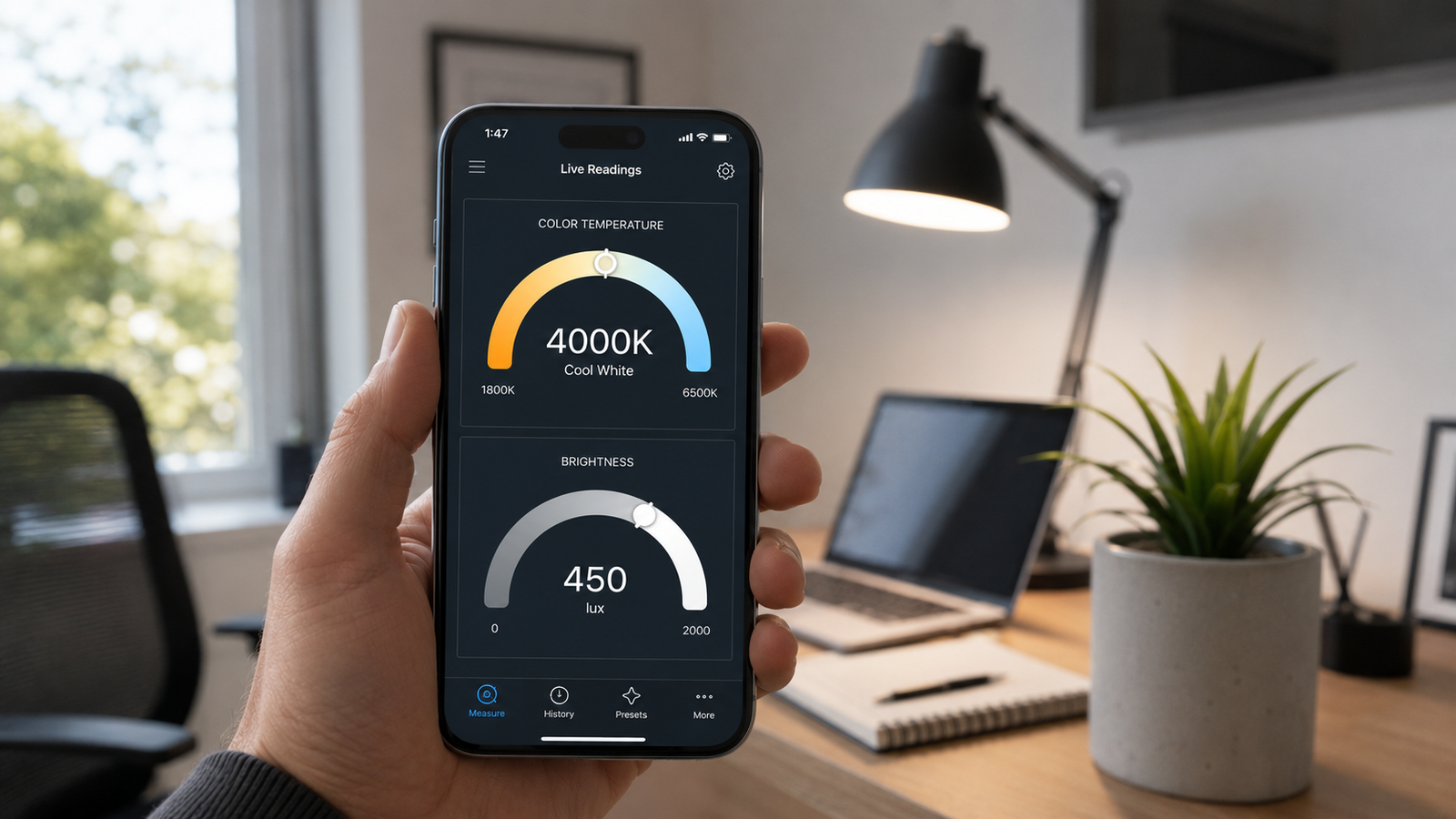
This guide explains exactly what Kelvin and lux each tell you, what a good measuring app should include, and how to take an accurate reading. If you would rather just start measuring, you can get Kelvin Light Scale on the App Store and read both values in one place.
📲 Kelvin and lux in one tap
Kelvin Light Scale reads color temperature, lux, and exposure together — no extra hardware, no second device to carry.
Kelvin and lux: two different measurements, one app
It is easy to mix these up, so let's be precise. Kelvin describes the color of light — whether it looks warm and golden or cool and blue. Lux describes the quantity of light — how much illumination is actually falling on a surface. A room can be very warm in color (low Kelvin) yet very bright (high lux), or cool in color yet dim. They are independent, which is exactly why a useful app reports both. You can see both readings side by side on the Kelvin Light Scale page.
What the Kelvin reading tells you
Color temperature runs from roughly 1,800K (candle amber) up past 6,500K (cool daylight blue). Lower numbers are warmer; higher numbers are cooler. The Kelvin value lets you match bulbs to each other, set a mood, dial in camera white balance, and check whether a screen is too warm or too blue. A 2,700K lamp will feel cozy; a 5,000K fixture will feel crisp and alert. When you point the app at a light source, the Kelvin figure tells you immediately which it is.
What the lux reading tells you
Lux measures how brightly a surface is lit — one lux equals one lumen spread over one square meter. It answers practical questions: is my desk bright enough to work at, is this room too dim for reading, are my plants getting enough light, is a studio evenly lit. As a rough guide, a general office workspace usually needs around 300–500 lux, while detailed tasks call for more. Measuring lux with a phone app lets you check any spot in seconds instead of guessing.
| Kelvin (K) | Lux (lx) | |
|---|---|---|
| Measures | Color of light (warm vs cool) | Amount of light on a surface |
| Higher number means | Cooler / bluer light | Brighter surface |
| Typical use | Matching bulbs, white balance, mood | Workspace brightness, plant light, safety |
| Everyday example | 2,700K = warm bulb | ~400 lux = lit office desk |
What a good Kelvin and lux app should include
Not every light app is equal. When choosing one, look for these features:
- Both Kelvin and lux in one view so you are not juggling two apps.
- Real-time readings that update live as you move the camera.
- Exposure (EV) values for photographers setting up a shot.
- Calibration so you can align the app to a known reference and improve accuracy.
- Tint / Duv and CIE coordinates for color-critical work, if you need precision.
- Save and export so you can log and compare readings over time.
An app that bundles all of this means one tool covers everything from a quick bulb check to a full studio setup. You can see these features in action the moment you open it.
How to measure Kelvin and lux with a phone app
- Open the app and allow camera access so it can read the scene.
- For Kelvin: aim at a white or gray surface lit by the light you want to measure, fill the frame with it, and read the color temperature.
- For lux: hold the phone at the surface you care about — your desk, a plant leaf, a workbench — facing the light, and read the illuminance value.
- Take a few readings across the area and average them, since light is rarely perfectly even.
- Save the result if you want to compare it later or document a setup.
💡 Pro tip
Measure Kelvin off a neutral white surface, but measure lux at the actual surface you care about, with the phone facing the light. They use slightly different aiming — getting it right is the difference between a useful reading and a misleading one.
Real-world use cases for each reading
| Situation | Reading you need |
|---|---|
| Matching two lamps in a room | Kelvin |
| Checking if a desk is bright enough to work at | Lux |
| Setting camera white balance on location | Kelvin (plus EV) |
| Making sure houseplants get enough light | Lux |
| Calibrating a TV or monitor to D65 | Kelvin |
| Evenly lighting a product photo or video set | Both Kelvin and lux |
How accurate is a phone app?
For the situations above, a good app is accurate enough to be genuinely useful, particularly once you calibrate it and follow correct aiming technique. A dedicated hardware meter remains more precise and is the right choice for professional film, broadcast display calibration, or scientific measurement. For everyone else, the convenience of having both readings always in your pocket easily wins.
✅ The verdict
If you want to check both the color and the brightness of light without carrying two instruments, a phone app that reads Kelvin and lux together is the most practical tool available — free to start and accurate enough for nearly any everyday task.
Whether you are a photographer, a home renovator, an office manager, or a plant enthusiast, knowing both the Kelvin and the lux of your lighting takes the guesswork out of it. You can read both values in one place and stop wondering whether your light is the right color and the right brightness.
Measure Kelvin and lux from your iPhone
Kelvin Light Scale reads color temperature, lux, and exposure instantly — one app, no extra gear. Free to start, with calibration and pro metrics when you need them.
Frequently asked questions
Is there a phone app that measures both Kelvin and lux?
Yes. Apps like Kelvin Light Scale read color temperature in Kelvin and illuminance in lux together, using your phone's camera and light sensor, so you can check both the color and the brightness of any light source in one place.
What is the difference between Kelvin and lux?
Kelvin measures the color of light — how warm or cool it appears — while lux measures the amount of light falling on a surface. A space can be warm in color but very bright, or cool in color but dim, because the two are independent.
How accurate are phone apps for measuring light?
They are accurate enough for everyday tasks such as matching bulbs, checking workspace brightness, photography, and screen calibration, especially after calibration. Hardware meters are more precise and are reserved for professional film, broadcast, or scientific use.
How many lux do I need for a home office?
A general home-office workspace is typically comfortable around 300–500 lux at the desk surface, with brighter levels for detailed work. Measuring the actual lux at your desk with an app tells you whether you need to add or adjust lighting.
Can I measure lux with the iPhone's built-in sensor?
The iPhone has an ambient light sensor, and lux-measuring apps combine it with camera data to estimate illuminance. The reading is reliable for everyday use, though it is an estimate rather than a certified laboratory measurement.
Do I need to point the phone at the bulb or at the surface?
It depends on the reading. For Kelvin, aim at a white or gray surface lit by the source. For lux, place the phone at the surface you care about with the sensor facing the light. Using the right aim for each gives the most accurate result.
phone app to measure kelvin and luxlux meter appkelvin meter app iphonemeasure lux with phonecolor temperature and lux applight meter apphow many lux for officekelvin vs lux