How to Track Which Packages Are Where in Your Van

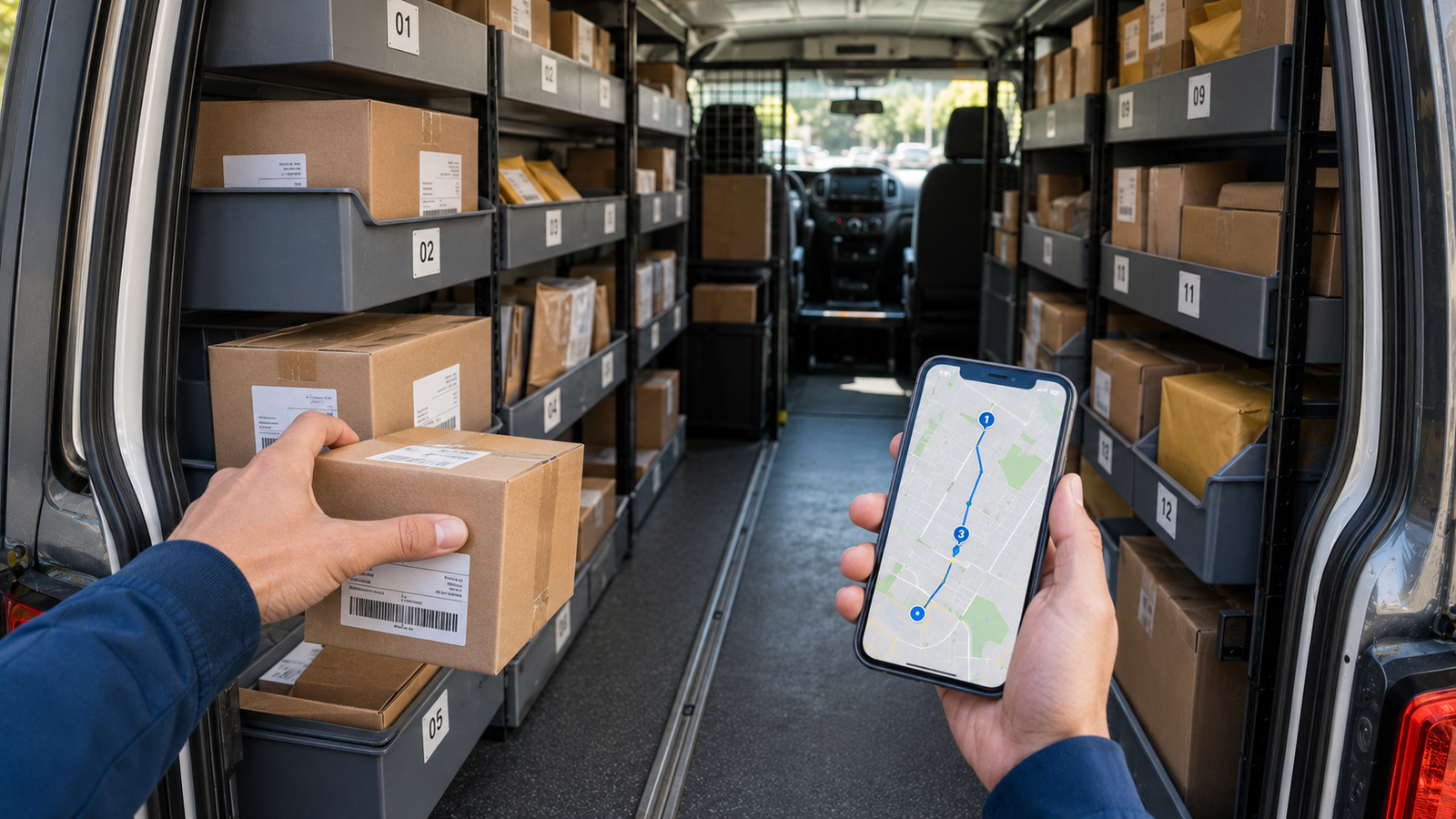
How to Track Which Packages Are Where in Your Van (2026 Driver Guide)
Here's a time sink almost no one talks about: you pull up to a stop, slide open the door, and then spend 30, 60, 90 seconds digging through a wall of boxes hunting for the right one. Multiply that across 50 or 100 stops and you've lost an hour of your day just looking for packages — not driving, not delivering, just searching. The driving is the easy part; finding the right box in a full van is the real grind.
The fix is a combination of two things: loading your van in a smart order, and tracking which package goes with which stop so you always know what to grab next. This guide covers both — the physical organization systems that work, plus how a digital package finder ties it all together. Current for 2026.
Always know which package is next
Delivery Route Planner optimizes your route, then helps you find which package belongs to your next stop — so you grab the right box in seconds instead of digging. Plus notes, proof of delivery, and one-tap navigation.
The hidden time sink: searching for packages
Drivers obsess over route efficiency — and rightly so — but the time lost searching a disorganized van quietly rivals the time lost to a bad route. Every extra second per stop, repeated dozens of times, becomes real money when you're paid by completion. Worse, the frustration of rummaging adds stress and slows you down even further as the day wears on. Fixing it starts with pairing an optimized route from a route planner with a loading and tracking system. Get both right and stops become grab-and-go.
Step 1: Optimize your route first
You can't load packages in delivery order until you know the delivery order. So the first move is always to optimize your route — sequence all your stops into the most efficient order. Only then does it make sense to load the van, because now there's a fixed order to load against. Trying to organize a van before you've set your route is putting the cart before the horse. Start by optimizing the stops, then load.
Step 2: Load in delivery order
The golden rule of van loading: load in reverse so your first stop is the most accessible. The package for stop one should be nearest the door; the package for your last stop goes deepest. As you work the route, the next package is always right at the front. This single habit eliminates most of the digging on its own.
If your route is optimized and you load against that order, you've already won half the battle — which is why optimizing first matters so much.
Step 3: Use a physical organization system
On top of loading order, a physical system keeps things findable when stops cluster or packages pile up:
| Method | How it helps | Watch out for |
|---|---|---|
| Shelving by stop order | Packages stay in sequence, easy to grab | Needs shelving installed |
| Bins by zone | Groups nearby stops together | Re-sort if route changes |
| Color-coded labels/tape | Visual cue for batches | Takes prep time up front |
| Front-to-back loading | Next package always at the door | Requires loading in route order |
Whichever you choose, keep a clear aisle so you can reach packages without unloading half the van. A consistent system beats a perfect one you won't maintain. Pair it with a planner that keeps your stop order locked in.
Step 4: Track digitally with a package finder
Physical systems get you most of the way, but they break down when a route reshuffles, a stop gets added, or you simply can't remember which box was for the next address. That's where a digital package finder closes the gap. Instead of relying on memory, the app tells you which package belongs to your next stop as you move through the route — so you grab the right one with confidence.
Used well, it works hand in hand with your loading system: the app keeps the order and the identity of each stop straight, and you can add a quick note about where you stowed a package ("rear left bin," "behind the wheel well") so it's findable even in a packed van. The package finder in Delivery Route Planner is built for exactly this.
Putting it all together
The complete workflow, start to finish, looks like this:
- Scan or import your stops into your route planner.
- Optimize them into the fastest delivery order.
- Load the van in that order, first stop nearest the door, using your bins or shelves.
- Note where each package is stowed if your van is packed.
- Drive the route, and at each stop let the app show you which package is next — grab, deliver, capture proof, repeat.
That's how you go from digging through chaos to a smooth, grab-and-go rhythm all day. You can set this up free before your next run.
Pro tip: The single biggest improvement most drivers can make is simply loading in optimized route order. Do only that and you'll cut your per-stop search time dramatically — before you add any other system on top.
No more digging through the van
Optimize your route, load in order, and let the package finder show you which box is next at every stop. Plus notes, proof of delivery, and navigation in Apple Maps, Google Maps, or Waze — all in one app.
Frequently asked questions
How do I keep track of which packages are where in my van?
Optimize your route first, then load packages in that delivery order with your first stop nearest the door. Add a physical system like bins by zone or shelving by stop order, and use a digital package finder that tells you which package belongs to your next stop so you never rely on memory.
What's the best way to load a delivery van?
Load in reverse delivery order so the package for your first stop is most accessible at the door and your last stop sits deepest. This requires knowing your optimized route in advance, which is why drivers sequence their stops in a route planner before loading.
What is a package finder?
A package finder is a feature in a delivery app that helps you identify which package belongs to your next stop as you work through your route, so you grab the right one quickly instead of searching. Paired with organized loading, it removes most of the time wasted hunting for packages.
How much time do drivers lose searching for packages?
It varies, but even 30 to 60 seconds of searching per stop adds up to a significant chunk of the day across 50 or more stops — time that comes straight out of your earnings when you're paid by completion. Organized loading and digital tracking recover most of it.
Do I need shelving to organize my van?
No. Shelving helps, but the most important habit is simply loading in optimized route order with the next package at the door. Bins, zones, or color-coded labels are useful additions, but a consistent loading order is the foundation that works even without any installed equipment.
Can one app optimize my route and track my packages?
Yes. A complete delivery app optimizes your stop order, helps you find which package is next, lets you note where each is stowed, captures proof of delivery, and navigates with Apple Maps, Google Maps, or Waze — combining routing and package tracking in a single workflow.
how to track which packages are where in my vandelivery van organizationpackage finder apphow to load a delivery vanorganize packages by stopfind package for next stopdelivery van loading orderpackage tracking for drivers