How to Track Blood Sugar Levels at Home (2026 Guide)

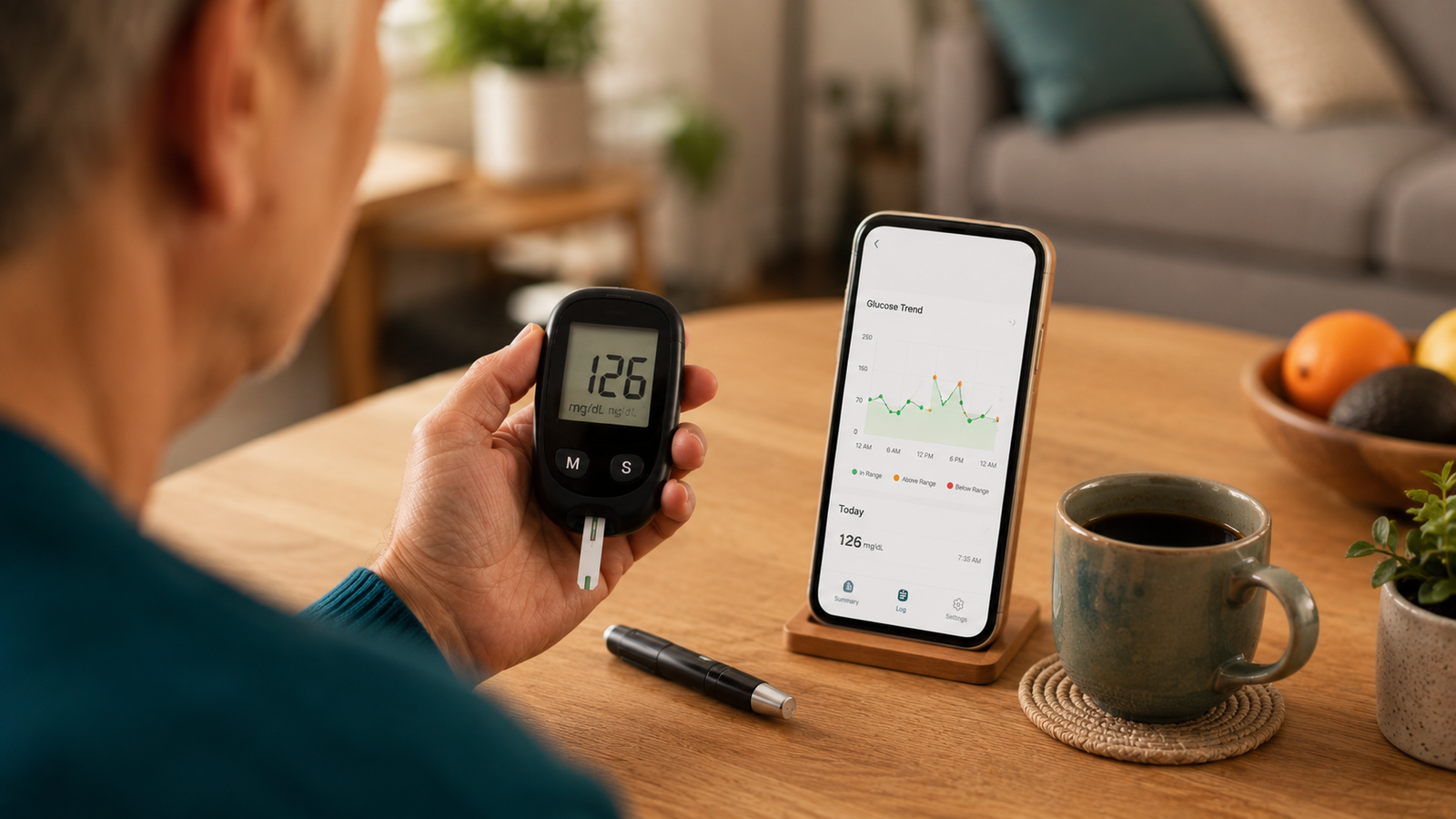
How to Track Blood Sugar Levels at Home (2026 Guide)
Tracking your blood sugar at home is the foundation of understanding and managing your numbers. But "tracking" really has two parts that often get blurred together: measuring your level with a device, and recording those readings over time so you can see what's happening. You need both. A reading you don't write down is a missed clue; a log with no readings is empty.
This guide explains how at-home blood sugar tracking works from end to end — the common ways to measure at home, how to keep a useful record of your readings, and how to bring it all together so the effort actually pays off. Current for 2026.
Medical disclaimer: This article is for general information only and is not medical advice. Blood Sugar Monitor is a tracking tool, not a medical device — it records the readings you take with your own glucose meter or CGM and does not measure blood sugar, diagnose, or treat any condition. How to test, how often, and your target ranges are decisions for your qualified healthcare provider.
The easy way to keep track
Blood Sugar Monitor records the readings you take at home — glucose, plus insulin, blood pressure, weight, A1c, and cholesterol — with charts, reminders, and reports for your doctor. Free to start.
The two parts of tracking at home
It helps to keep the two parts separate in your mind. Measuring is getting the actual number, which you do with a physical device — a glucose meter or a continuous glucose monitor. Recording is keeping those numbers over time so trends become visible. No phone or app can measure your blood sugar for you; that always comes from a device. What an app does brilliantly is the second part — organizing your readings into a record you can actually learn from. Keeping that record in a tracking app is what turns scattered numbers into a clear picture.
Part 1: Ways to measure blood sugar at home
There are two common approaches. Which is right for you is a decision to make with your doctor.
Glucose meter (glucometer)
The most widely used method. You apply a small drop of blood — usually from a fingertip using a lancet — to a test strip in the meter, which displays your reading in a few seconds. Meters are inexpensive and give an accurate point-in-time reading. Always follow the instructions that came with your specific meter and strips.
Continuous glucose monitor (CGM)
A CGM uses a small sensor worn on the body that reads your glucose automatically throughout the day and sends the data to a reader or phone. It shows trends and direction over time without routine fingersticks, though it's typically more expensive and often requires a prescription. Whether a CGM suits you is something to discuss with your healthcare provider.
| Method | How it works | Notes |
|---|---|---|
| Glucose meter | Fingertip blood drop on a test strip | Low cost; point-in-time reading |
| Continuous glucose monitor | Worn sensor reads automatically | Shows trends; usually pricier, may need a prescription |
Whichever you use, the reading comes from your device — and the next step is making sure it doesn't just disappear. That's where recording it comes in.
Part 2: Recording and tracking your readings
A single reading tells you about one moment; a record of readings tells you the story. Recording is what lets you and your doctor see whether mornings run higher, how meals affect you, and which way things are trending. You can keep that record on paper or in an app:
- Paper is simple and free, but easy to fall behind on and hard to spot trends in.
- An app keeps readings in your pocket, charts them automatically, reminds you to log, and lets you share a report with your doctor.
For each reading, capture the number plus a little context — the timing (fasting, before or after a meal), medication, food, or anything unusual. For a deeper walkthrough of doing this well, see how to keep a blood sugar log; the short version is that context is what makes your readings meaningful. A logbook app lets you add it in a tap.
Putting it all together
The full at-home tracking loop is simple once both parts are in place:
- Measure your blood sugar with your meter or CGM.
- Record the reading with its context.
- Review your trends on charts every week or so — looking for patterns, not single numbers.
- Share a report with your doctor at appointments.
Do this consistently and your at-home tracking becomes genuinely useful rather than a stack of forgotten numbers. You can set up the recording side free.
Tips for reliable at-home tracking
A few habits keep your tracking trustworthy: follow the instructions for your specific meter or sensor, test at the times your doctor recommends, keep your supplies stocked so you're never unable to check, log each reading in the moment rather than from memory, and review your record regularly. None of these are complicated — and a tracker with reminders makes the consistency part nearly automatic. Anything about how to interpret or act on your readings should always go through your care team.
Track every reading the easy way
Record the readings you take at home, add context with tags, see your trends on clear charts, get reminders, and export a report for your doctor — all in one app. Free to start.
Frequently asked questions
How do I track my blood sugar levels at home?
Tracking at home has two parts: measuring your level with a glucose meter or continuous glucose monitor, then recording each reading with context like timing and meals so you can see trends over time. Review your record regularly and share it with your doctor. An app handles the recording, charting, and sharing.
What do I need to check my blood sugar at home?
Most people use a glucose meter with test strips and a lancet to get a fingertip reading, while some use a continuous glucose monitor worn on the body. Which is right for you is a decision to make with your healthcare provider, and you should follow the instructions for your specific device.
Can an app measure my blood sugar at home?
No. No phone app measures blood sugar — the reading always comes from a glucose meter or CGM. An app's role is to record, chart, and organize the readings you take with your device, so you can track trends and share them with your doctor.
What's the difference between a glucose meter and a CGM?
A glucose meter gives a point-in-time reading from a fingertip blood drop on a test strip and is inexpensive. A continuous glucose monitor uses a worn sensor that reads automatically throughout the day and shows trends without routine fingersticks, but it's usually more expensive and often needs a prescription.
How often should I check my blood sugar at home?
That depends on your individual situation, so your doctor should set your testing schedule and target ranges. Readings are commonly taken at times like fasting, before meals, after meals, and bedtime, and recording the timing alongside each reading matters regardless of frequency.
How do I keep track of my readings once I've taken them?
Record each reading — on paper or in an app — with its date, time, and context, then review for patterns and share with your doctor. An app makes this easiest by charting your readings automatically, reminding you to log, and exporting a report covering the date range you choose.
how to track blood sugar levels at homemonitor blood sugar at homecheck blood sugar at homeat home glucose trackingglucose meter vs cgmrecord blood sugar readingshome blood sugar monitoringtrack glucose without cgm