How to Measure Lux in a Room: A Step-by-Step Guide

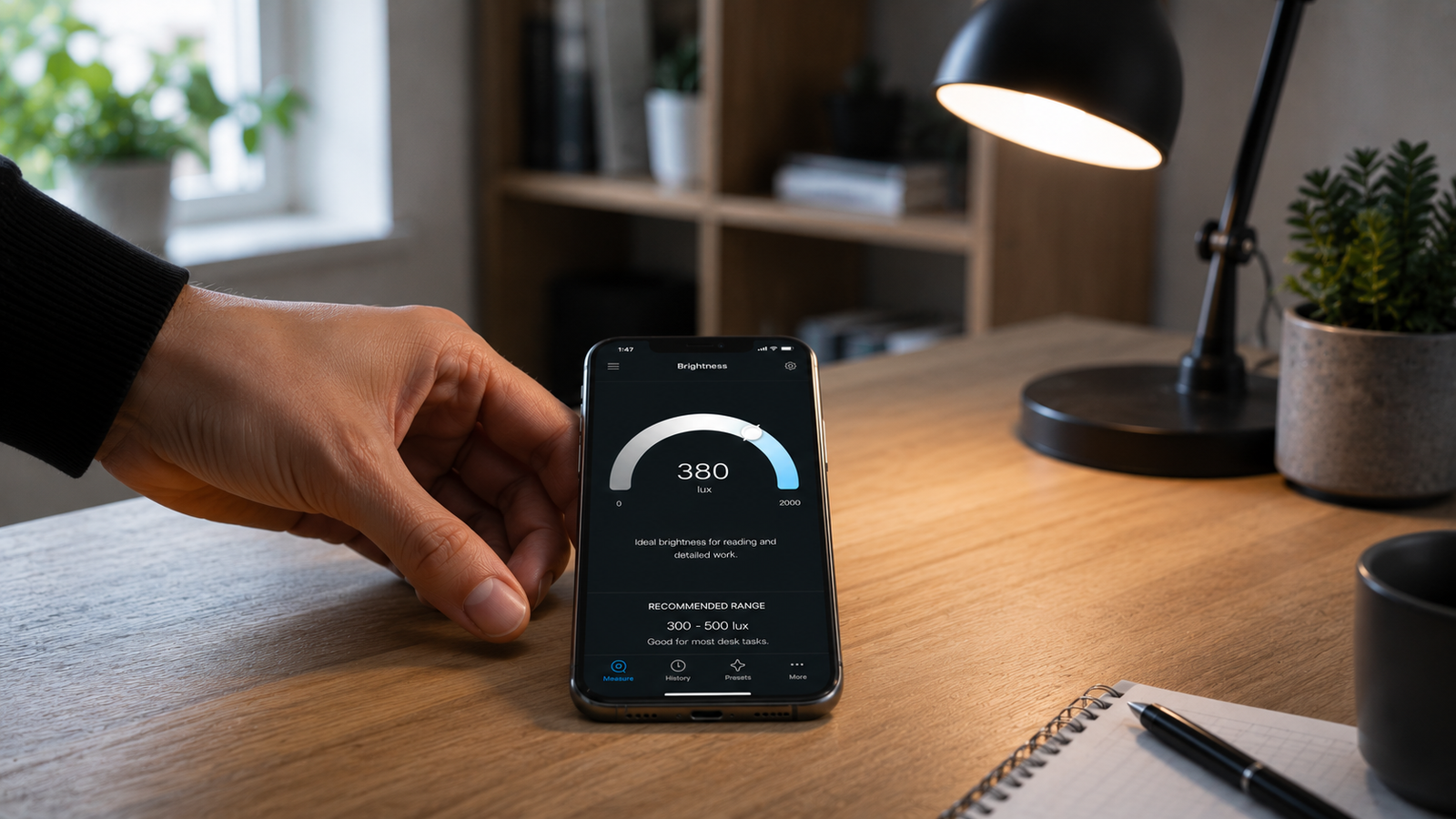
How to Measure Lux in a Room: A Step-by-Step Guide
Knowing the recommended lux level for a space is only half the job — the other half is measuring what you actually have. The good news is that taking an accurate lux reading is simple once you know the technique, and you don't need a dedicated light meter to do it. The phone in your pocket can read illuminance well enough for nearly any home or office purpose, as long as you avoid a few common mistakes.
This guide walks through exactly how to measure lux in a room: what you need, how to take the reading, where to aim the sensor, and how to cover a whole room properly. You can start measuring lux on your iPhone right away and follow along.
📲 Your phone is already a lux meter
Kelvin Light Scale reads lux directly from your iPhone — no extra hardware needed. Open it, point it at the surface, and read the number.
What you need to measure lux
Just a smartphone with a lux meter app. Your phone has an ambient light sensor and a camera, and a good app combines them to estimate illuminance — the amount of light falling on a surface, measured in lux. A dedicated hardware meter is more precise, but for checking whether a desk, counter, or room hits its target, the app is entirely up to the task. You can have a working lux meter in the time it takes to install one.
How a phone measures lux
The app reads the light reaching the sensor and translates it into a lux value in real time. Because it measures light at the sensor's location, where you put the phone is everything: the reading reflects the light at that exact spot, facing that exact direction. Move it closer to a lamp and the number climbs; lay it on a shadowed desk and it drops. That sensitivity is exactly why technique matters, and why a careful reading from the app is genuinely useful.
Step by step: taking a lux reading
- Open the lux meter app and allow access to your phone's sensors.
- Go to the surface you care about — the desk, counter, workbench, or floor where light actually needs to do its job.
- Lay or hold the phone flat on that surface, sensor facing up toward the light the way the surface receives it.
- Keep your body and hands out of the light path so you don't cast a shadow on the sensor.
- Let the reading settle for a second or two and note the lux value.
- Repeat at a few spots and average them, since light is rarely perfectly even.
That's the whole process for a single point. Once you've done it once, you can measure any surface in a room in seconds.
Where to point the sensor
This is the step people get wrong most often. Lux describes light landing on a surface, so the sensor should face the way that surface faces. For a desk or counter, lay the phone flat, screen up. For a wall-mounted task like a mirror or whiteboard, hold the phone flat against the plane of that surface, facing outward. Never aim the sensor at the ceiling when you care about the desk, and never point it straight into a bulb — you'd be measuring the source, not the illumination on the work area. Getting the orientation right is what makes your reading meaningful.
💡 Pro tip
Measure at the task surface, sensor facing the light, with no shadow falling across it. The single most common error is reading from the wrong height or orientation — a desk reading taken at standing eye level can be wildly different from the one at the desktop where you actually work.
The grid method for a whole room
One reading tells you about one spot. To understand a whole room — and to spot dim corners or bright hotspots — take readings on a grid. Imagine the floor or work area divided into a regular pattern (for example, every few feet) and measure at each point at the working height. Record the values, then look at three things:
| What to calculate | Why it matters |
|---|---|
| Average lux | Tells you the overall level vs. the target |
| Minimum lux | Reveals the darkest, most strained spots |
| Uniformity (min ÷ average) | Shows how even the lighting is |
A room that averages 400 lux but drops to 150 in the corners feels uneven and uncomfortable, even though the average looks fine. The grid method exposes that — and you can log each point as you go.
Common mistakes that ruin readings
| Mistake | Fix |
|---|---|
| Casting your own shadow on the sensor | Stand to the side, keep the light path clear |
| Measuring at the wrong height | Read at the actual work surface, not eye level |
| Pointing at the bulb instead of the surface | Face the sensor the way the surface faces |
| Covering the sensor with a phone case | Make sure the sensor and camera are unobstructed |
| Taking only one reading | Sample several points and average |
Making sense of your reading
Once you have a number, compare it to the recommended level for that space — roughly 300–500 lux for desks and reading, 500–750 for kitchen counters and detailed tasks, and lower for circulation areas. If you're under target, add task lighting or a brighter bulb; if you're over with glare, diffuse or redirect it. Then re-measure to confirm. The whole loop — measure, adjust, measure again — is fast when you can check the result instantly.
✅ The verdict
Measure at the task surface with the sensor facing the light, keep your shadow off it, and take several readings on a grid to capture both level and uniformity. Done that way, a phone lux reading is reliable for any everyday room.
Measuring lux turns vague impressions like “this room feels dim” into a number you can actually act on. With the right technique it takes seconds, and you can measure your first room now.
Measure any room the right way
Kelvin Light Scale reads lux, color temperature, and exposure from your iPhone — take accurate readings anywhere in seconds. Free to start, with pro tools when you need them.
Frequently asked questions
How do I measure lux in a room?
Use a lux meter app on your phone. Place the device at the surface you care about with the sensor facing the light, keep your shadow off it, let the reading settle, and take several readings across the room to average. Compare the result to the recommended level for that space.
Can I measure lux with my phone accurately?
Yes, accurately enough for home and office use. Your phone's light sensor and camera let an app estimate illuminance reliably, especially when you use correct technique. A hardware meter is more precise and is reserved for professional or scientific work.
Where should I hold my phone to measure lux?
At the task surface, with the sensor facing the same way the surface faces — flat and screen-up on a desk or counter, or held flat against a wall plane for a mirror or board. Don't measure at eye level when you care about the desktop, and don't aim at the bulb.
Why do my lux readings keep changing?
Lux readings reflect the exact spot and direction of the sensor, so small movements, shadows, or angle changes shift the number. Hold the phone steady at the surface, keep the light path clear, and take a few readings to average out the variation.
How many points should I measure in a room?
For a single surface, a few readings are enough. To assess a whole room, measure on a grid — several evenly spaced points at working height — and calculate the average, the minimum, and the uniformity ratio to spot dim or bright areas.
Do I need a special light meter to measure lux?
No. A lux meter app on your phone is sufficient for almost all everyday purposes, from checking a home office to auditing a room's lighting. A dedicated hardware meter only becomes necessary for color-critical professional, broadcast, or scientific measurement.
how to measure lux in a roommeasure lux with phonelux meter app accuracywhere to point lux sensorlux grid methodlighting uniformity measurementmeasure room brightnessphone light meter technique