How to Measure Club Head Speed at Home — No Radar Needed

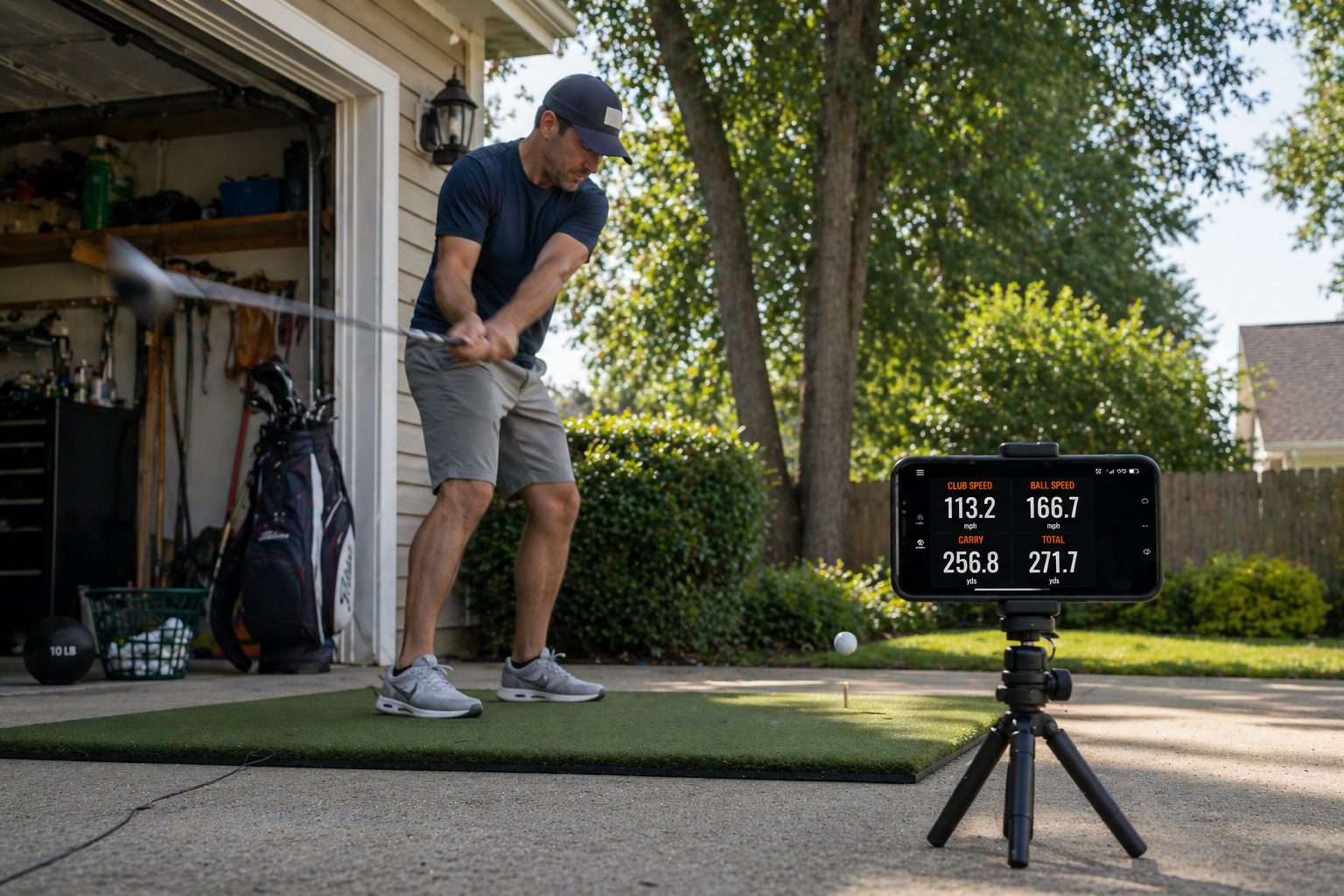
How to Measure Club Head Speed at Home — No Radar Required
Club head speed is the engine of distance. But getting an accurate reading used to mean booking a fitting, visiting a simulator bay, or spending $300+ on a radar device. Today, all you need is your iPhone.
This guide walks you through exactly how to measure your club head speed at home — with no extra hardware — explains why the number matters, and shows you what to do with the data once you have it.
Ready to measure your swing speed right now?
The Golf Launch Monitor app uses machine learning and computer vision to track club head speed, ball speed, launch angle, and carry distance — all from your iPhone camera.
Download Free on App Store See how it worksWhy club head speed is the number you need to know
Club head speed — the velocity of your clubhead at the exact moment of impact, measured in miles per hour — is the starting point for everything in golf distance. More speed means more potential energy transferred to the ball. Without knowing your number, you are essentially guessing about your distance ceiling, your ideal shaft flex, and whether your practice is actually working.
Here is how typical club head speeds break down by player level for a driver:
| Player level | Avg. driver club head speed | Typical carry distance |
|---|---|---|
| Beginner | 70–85 mph | 150–185 yards |
| Casual amateur | 85–95 mph | 185–215 yards |
| Mid-handicap | 95–105 mph | 215–245 yards |
| Low handicap | 105–115 mph | 245–275 yards |
| Tour professional | 115–130+ mph | 280–320+ yards |
Beyond distance, your club head speed tells you what shaft flex you should be using, what golf ball compression suits your swing, and how much room you have to grow through speed training.
What you need to measure club head speed at home
- An iPhone running iOS 17.6 or later (iPhone 8 or newer recommended)
- The Golf Launch Monitor app — free to download
- A small tripod or stable surface to prop your phone on
- A real golf ball and enough space for at least 20–30 feet of ball flight
- A net, open garden, or driving range bay
You do not need a dedicated radar unit, Doppler hardware, or any physical sensor. The Golf Launch Monitor uses your iPhone's camera combined with machine learning and high-speed optical flow tracking to detect the clubhead and ball through impact, then calculate speed from the movement data captured frame by frame.
Pro tip: Even a cheap $15 flexible tripod (the kind used for smartphone video) makes a significant difference in reading accuracy. A hand-held or leaning phone introduces vibration that disrupts frame-by-frame tracking.
Step-by-step: how to set up and measure your swing speed at home
Step 1 — Download and open the app
Download the Golf Launch Monitor app from the App Store. It is free, and the core measurement features — including club head speed — are available without a subscription.
Step 2 — Set up your hitting area
You can do this in a garden with a net, in a garage, or at the range. You need a minimum of 20 feet of ball flight for the app to calculate speed accurately. The more flight, the better the reading — 60 to 80 feet is ideal.
Step 3 — Position your iPhone
Place your phone on a tripod 6 to 8 feet directly behind the ball, pointing along your target line. Keep it at roughly hip height. The camera needs a clear, unobstructed view of the impact zone and the first few feet of ball flight.
Landscape orientation only. Portrait crops too much of the flight path.
Step 4 — Check the frame before you swing
Look at the live preview in the app. The ball should sit clearly in the center of the frame with space in front of it for the ball to travel across before exiting. If it's right at the edge, move the phone back a foot.
Step 5 — Take your swing
Swing normally. Do not slow down or exaggerate your motion for the camera. The app is designed to capture your natural swing — the tracking algorithm handles the rest.
Step 6 — Review your metrics
After impact, the app processes the shot and displays your club head speed alongside ball speed, launch angle, spin rate, and carry distance. You will see all of these on a single results screen.
Best practice: Hit 10 shots before drawing any conclusions. Club head speed varies naturally between swings. The average of 10 shots is your true baseline — not the fastest or slowest individual reading.
Club head speed vs. ball speed — what's the difference?
These two numbers are related but measure different things. Club head speed is how fast the clubhead is moving at impact. Ball speed is how fast the ball leaves the face. The ratio between them is called smash factor.
| Metric | What it measures | Good benchmark (driver) |
|---|---|---|
| Club head speed | Clubhead velocity at impact (mph) | 90–105 mph (amateur) |
| Ball speed | Ball velocity leaving the face (mph) | 135–155 mph (amateur) |
| Smash factor | Ball speed ÷ club head speed | 1.45–1.50 (driver) |
A smash factor of 1.50 means you are converting clubhead speed into ball speed as efficiently as possible. If yours is 1.35, you are leaving yards behind through off-center contact — and no speed training program will fix that. Solid contact will.
The Golf Launch Monitor app shows you all three numbers simultaneously, so you can see in real time whether your speed issue is the swing itself or your contact quality.
How to use your club head speed data to improve
Find the right shaft flex
Shaft flex is one of the most common equipment mismatches among amateur golfers. If you are swinging a stiff shaft at 85 mph, you are likely losing both distance and consistency. Here are general flex guidelines:
- Under 75 mph — Ladies or Senior flex
- 75–85 mph — Regular flex
- 85–95 mph — Regular to Stiff
- 95–110 mph — Stiff flex
- 110+ mph — Extra Stiff (X flex)
Set realistic distance expectations
Once you know your club head speed, you can calculate your approximate distance ceiling. With a well-struck driver at optimal launch and spin conditions, the theoretical carry distance is roughly 2.5× your club head speed in mph. So 95 mph of club head speed gives a ceiling of around 237 yards — before wind, elevation, and ball roll.
If your actual carry is significantly below that, the gap is almost always launch angle, spin rate, or contact quality — not a lack of speed. The Golf Launch Monitor app shows you launch angle and spin data alongside club head speed, making it easy to diagnose exactly where the loss is happening.
Track progress from speed training
Programs like SuperSpeed Golf involve swinging lighter clubs at higher speeds to train the nervous system to swing faster. The problem is that without measuring, you have no idea if they are working. Measuring your club head speed at home before, during, and after a speed training block gives you real data on whether the program is delivering results for your specific swing.
Common reasons your club head speed reading looks wrong
- Phone placed too close: Under 5 feet, the ball exits the frame before enough tracking data is captured. Keep it at 6–8 feet minimum.
- Portrait mode: Always landscape. Portrait mode crops the flight path too aggressively.
- Low light or direct sun: The camera needs good contrast to track the ball. Early morning or overcast conditions are ideal. Avoid shooting directly into the sun.
- Phone not stable: Any movement between frames throws off the speed calculation. Always use a tripod or stable surface.
- Using foam or wiffle balls: The app's tracking model is calibrated for standard golf balls. Training balls behave differently in frame and produce unreliable readings.
Start measuring your swing speed today
You now have everything you need to measure your club head speed at home, for free, with the device already in your pocket. Ten shots with the app will tell you more about your current swing than a month of guessing at the range.
The Golf Launch Monitor is built for exactly this — giving everyday golfers access to professional-level swing data without the professional-level price tag. It tracks club head speed, ball speed, launch angle, spin rate, carry distance, and shot dispersion, all from a single iPhone session.
Measure your club head speed in your next session — free.
Download the Golf Launch Monitor app and get real numbers on your swing today. No radar. No hardware. Just your iPhone.
Download on the App Store Learn moreFrequently asked questions
Can I really measure club head speed with just my iPhone?
Yes. The Golf Launch Monitor app uses computer vision and machine learning to track your clubhead and ball through impact. It does not require any external sensors, radar hardware, or Bluetooth devices.
How accurate is an iPhone launch monitor app compared to TrackMan?
Consumer radar units like the Rapsodo MLM1 advertise accuracy within 2% of TrackMan. iPhone-based apps using camera tracking are generally in a similar ballpark for ball speed and launch angle when set up correctly. The key factors are phone stability, lighting, and proper distance from the ball.
What is a good club head speed for an average amateur golfer?
The average male amateur golfer swings around 93–94 mph with a driver, which typically produces a carry distance of around 215–225 yards. Female amateurs average around 65–70 mph. Any reading is just a starting point — what matters more is your smash factor and launch conditions.
Do I need a net to use the app at home?
A net is the safest option indoors, but you can also use an open garden, yard, or any space with at least 20–30 feet of clear ball flight. The app needs to see the ball in flight for an accurate speed calculation.
Does the app measure club head speed for all clubs, not just the driver?
Yes. The Golf Launch Monitor app works with every club in the bag — driver, irons, wedges. The setup and positioning remain the same regardless of the club you are hitting.
measure club head speed at homeclub head speed iPhonegolf swing speed apphow to measure swing speedgolf launch monitor appclub speed trackergolf speed monitor iPhonemeasure golf club speed without radar