How to Keep a Blood Sugar Log: Step-by-Step 2026

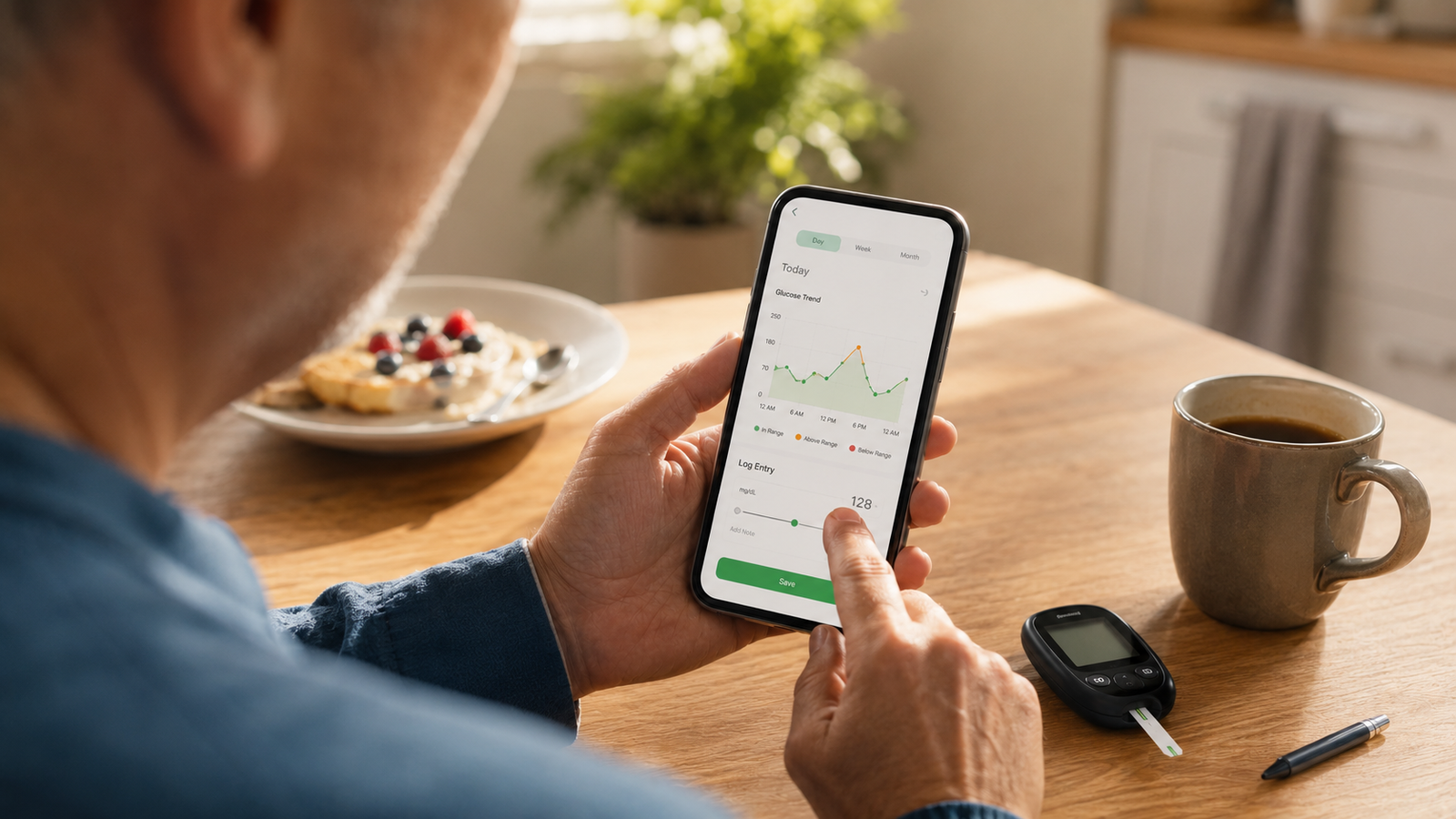
How to Keep a Blood Sugar Log (2026 Step-by-Step Guide)
Whether your doctor just told you to start tracking or you want to do it more usefully, a well-kept blood sugar log is one of the most powerful tools you have for understanding your numbers. The trick isn't just writing readings down — it's logging them consistently, with enough context to make sense of them later, and actually reviewing what builds up. Done right, your log turns scattered numbers into a clear story you and your doctor can act on.
This step-by-step guide walks through how to keep a blood sugar log that genuinely helps: what to record, when to log, how to stay consistent, how to spot patterns, and the common mistakes that make a log useless. Current for 2026.
Medical disclaimer: This article is for general information only and is not medical advice. Blood Sugar Monitor is a tracking tool, not a medical device — it logs the readings you take with your own glucose meter or CGM and does not diagnose or treat any condition. How often to test, your target ranges, and how to act on your readings are decisions for your qualified healthcare provider.
Make logging effortless
Blood Sugar Monitor makes keeping a log simple — record readings in seconds, add context with notes and tags, get reminders, and see your trends on clear charts. Free to start.
Step 1: Choose how you'll log
First decide where your log will live. A paper logbook is simple and free, but easy to leave behind and hard to spot trends in. A logbook app keeps your readings in your pocket, turns them into charts automatically, and reminds you to log. Either works — the best one is the one you'll actually keep up with. If you want trends and reminders without the paperwork, a logbook app makes the rest of these steps easier.
Step 2: Decide what to record
A reading on its own only tells half the story. For each entry, aim to capture the number plus a little context:
- The glucose reading, with date and time.
- When it was taken — fasting, before a meal, after a meal, bedtime.
- Medication or insulin, if relevant.
- Food, activity, or anything unusual — illness, stress — that might explain the reading.
You don't need to write an essay; a quick note or tag is plenty. That context is what lets you make sense of a reading weeks later. A good app lets you add it in a tap.
Step 3: Log at the right times
When and how often you should check is not one-size-fits-all — it depends on your situation, and your doctor will set the schedule that's right for you. That said, readings are commonly grouped by timing: first thing in the morning (fasting), before meals, a couple of hours after meals, and at bedtime. Logging the timing alongside the number matters, because the same reading means different things fasting versus after a meal.
Important: Don't set your own testing frequency or target ranges from a guide like this one. Those are individual to you — ask your healthcare provider how often to test and what your targets should be, then log to match their guidance.
Step 4: Add context to every entry
This is the single habit that separates a useful log from a useless one. A column of numbers with no context can't explain why a reading was high or low. A quick tag — "after lunch," "post-workout," "felt unwell" — turns each entry into something you and your doctor can actually interpret. Make context-capture so quick that you'll always do it, which is exactly what tags and notes in a tracking app are for.
Step 5: Be consistent
A log with gaps is far less useful than a complete one — and consistency is the hardest part for almost everyone. A few things help: keep logging effortless so it's never a chore, attach it to an existing routine (like a meal), and use reminders so you don't forget. Don't wait until the end of the day and try to remember; log in the moment. Reminders in a logbook app are one of the simplest ways to keep your record complete.
Step 6: Review for patterns
Logging is only half the value — reviewing is the other half. Every week or so, look back over your entries for patterns rather than fixating on single numbers: Are mornings consistently higher? Do certain meals show up alongside spikes? Trends, not individual readings, are what tell the real story. This is where charts shine, because a pattern that's invisible in a list of numbers jumps out on a graph. A tracker that plots your readings against your target range makes this almost automatic — though any interpretation of what those patterns mean belongs with your doctor.
Step 7: Share with your doctor
Your log is one of the most useful things you can bring to an appointment. Pull together your readings for the period since your last visit and share them — an app can export a clean report covering the date range you choose, so your doctor sees your trends and context at a glance instead of flipping through a notebook. You can export a report when it's time.
Common blood sugar logging mistakes
| Mistake | Fix |
|---|---|
| Logging numbers with no context | Add a quick tag or note each time |
| Logging inconsistently | Use reminders and a fixed routine |
| Only logging "bad" readings | Record all readings for a true picture |
| Backfilling from memory later | Log in the moment |
| Never reviewing the log | Check for trends weekly |
Avoid these and your log becomes genuinely useful rather than a pile of orphaned numbers. Most of them are easy to sidestep when your logging tool makes the right habit the easy one.
Keep a log that actually helps
Record readings in seconds, add context with tags, get reminders so you never miss one, see your trends on clear charts, and export a report for your doctor. Free to start.
Frequently asked questions
How do I keep a blood sugar log?
Choose where to log (paper or an app), record each reading with the date, time, and context like meals and medication, log consistently using reminders and a routine, review your entries for patterns, and share a report with your doctor. The key is consistency plus enough context to make the readings meaningful.
What information should I write in a blood sugar log?
Record the glucose reading with its date and time, whether it was fasting or around a meal, any insulin or medication, and brief notes on food, activity, or anything unusual like illness or stress. A reading paired with context is far more useful than a number on its own.
How often should I check and log my blood sugar?
That's individual and depends on your situation, so your healthcare provider should set your testing schedule and target ranges. Readings are commonly grouped by timing — fasting, before meals, after meals, and bedtime — and logging the timing alongside each number is important regardless of how often you test.
What's the best way to spot patterns in my blood sugar?
Review your log regularly — about weekly — and look at trends rather than single readings, such as whether mornings run higher or certain meals line up with spikes. Charts make patterns much easier to see than a list of numbers. What the patterns mean for your care is a conversation to have with your doctor.
Is a paper log or an app better for tracking blood sugar?
Both can work. An app is usually easier to keep complete and far easier to review, since it charts your readings and sends reminders, and it lets you export a clean report for your doctor. Paper is simple but easy to leave behind and harder to spot trends in.
What are common blood sugar logging mistakes?
The big ones are logging numbers with no context, logging inconsistently, only recording "bad" readings, backfilling from memory instead of in the moment, and never reviewing the log. Each undermines how useful your log is — adding context, staying consistent, and reviewing regularly fixes them.
how to keep a blood sugar logblood sugar logging tipshow to track blood sugar levelswhat to record blood sugar logblood sugar log mistakesstay consistent blood sugar trackingblood sugar diary how toglucose logging guide