How to Check Light Color Temperature Without a Meter

How to Check Light Color Temperature Without a Meter
Dedicated color-temperature meters are accurate, but they are also expensive, bulky, and overkill for almost everyone outside a film set or lab. The good news: you can check the color temperature of a light source surprisingly well without buying any meter at all. There are several reliable methods, ranging from instant phone readings to careful gray-card techniques to a trained eye.
In this guide we will walk through every practical no-meter method, rank them by accuracy and effort, and help you pick the right one for your situation. If you want the fastest and most accurate of the free options, you can read color temperature directly on your iPhone in a couple of seconds — but let's cover all the approaches so you can choose.
📲 Skip the guesswork — measure it instantly
Kelvin Light Scale turns your phone's camera into a color-temperature and lux reader. No hardware, no calibration ritual, no spreadsheet of bulb specs.
A quick refresher on what you are measuring
Color temperature describes whether light looks warm (golden) or cool (bluish), measured in degrees Kelvin (K). Lower numbers are warmer: a candle is around 1,800K and a traditional bulb around 2,700K. Higher numbers are cooler: midday sun is about 5,500K and a clear sky can exceed 10,000K. Every method below is really just a different way to estimate where on that Kelvin scale your light falls. If you want the underlying detail, the Kelvin Light Scale page breaks it down further.
Method 1: Use your phone's camera (fastest and most accurate free option)
A color-temperature app reads the live feed from your phone camera and calculates the correlated color temperature (CCT) from the balance of red, green, and blue light. It is the closest thing to a real meter you can have for free, and it requires no extra gear.
- Open the app and allow camera access.
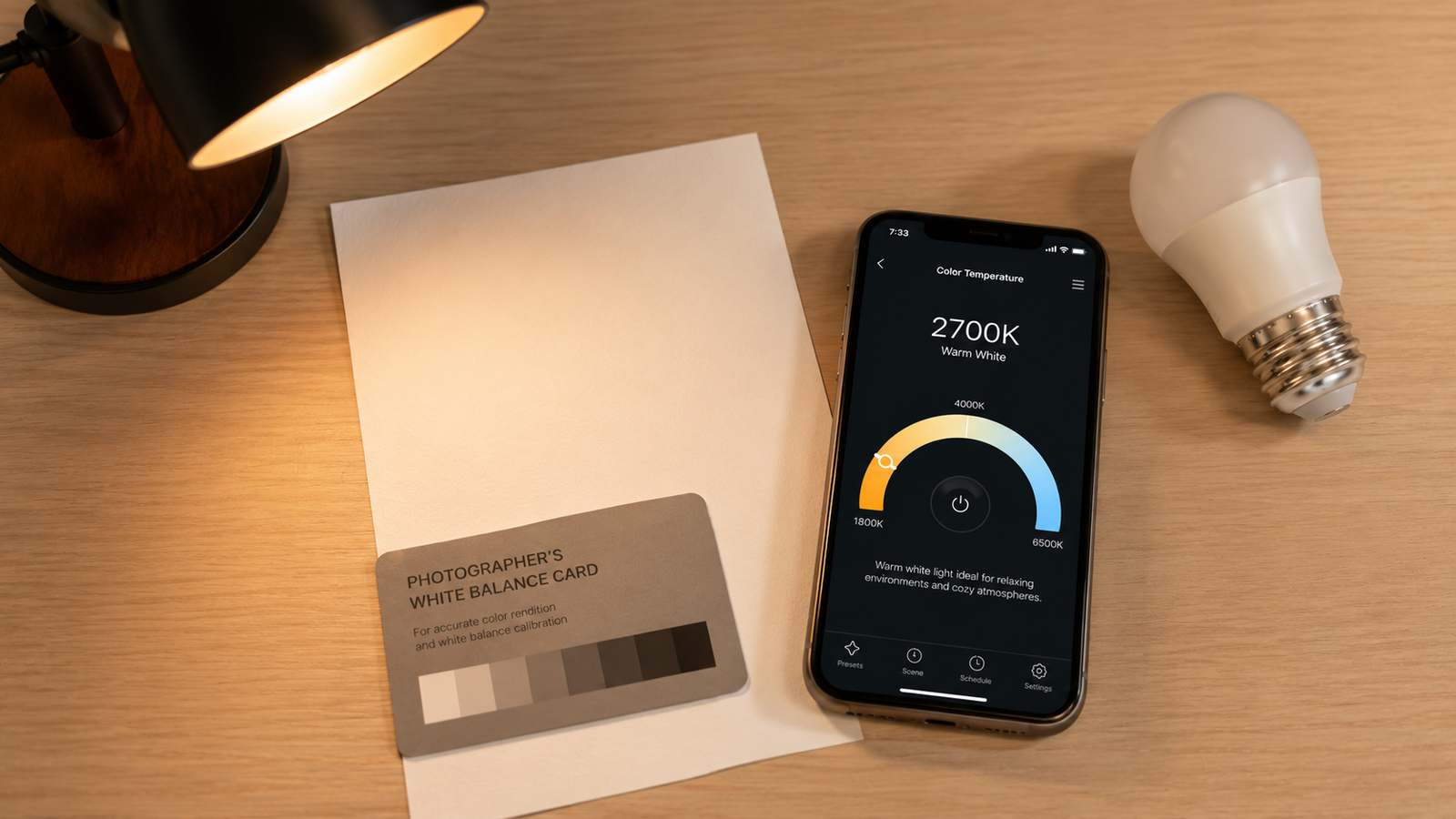
- Hold a sheet of white paper or a gray card under the light you want to measure.
- Fill the frame with that surface — aim at the paper, not the bulb.
- Let the reading settle and note the Kelvin value.
This takes seconds and works for bulbs, lamps, daylight, screens, and studio lights alike. You can try it on any light in your home right now and immediately see how warm or cool it is.
Method 2: Gray card and camera RAW
If you own a camera that shoots RAW (including most phones in pro mode), you can estimate color temperature in editing software. Photograph a neutral gray card lit by your target source, open the file in software like Lightroom or Camera Raw, and use the white-balance eyedropper on the card. The program reports the Kelvin value it applied to neutralize the image.
This is accurate but slow: it requires a card, a RAW workflow, and a computer. It is great for photographers already in that pipeline, but for a quick household check it is far more steps than simply opening a phone app.
Method 3: Estimate visually using a Kelvin chart
With a little practice you can eyeball color temperature by comparing a source to known references. This will not give you an exact number, but it gets you in the right range — useful when you have nothing else handy.
| If the light looks… | It is roughly… | Comparable to |
|---|---|---|
| Orange / amber | 1,800–2,200K | Candle flame |
| Warm golden white | 2,700–3,000K | Old incandescent bulb |
| Neutral white | 3,500–4,100K | “Bright white” LED |
| Crisp blue-white | 5,000–5,500K | Midday sunlight |
| Strong cold blue | 6,500K+ | Overcast sky, screens |
The catch is that human eyes adapt quickly — spend two minutes in a warm room and it starts looking neutral. That adaptation is exactly why a quick objective reading from the app beats your eyes for anything that matters.
Method 4: Compare against a known reference
You can also judge a light by holding it next to a source whose temperature you know. A computer or phone screen showing pure white is close to 6,500K (the D65 standard), and natural daylight through a north-facing window is roughly 5,000–6,000K. Put your mystery bulb beside one of these and you can tell whether it is warmer or cooler, and by how much.
This is handy for matching two bulbs to each other — if both look identical against the same white reference, they are close enough. For a precise figure, though, you will still want to confirm with an actual reading.
Method 5: Read the packaging or product specs
If the bulb is still in its box or you can find the model online, the Kelvin rating is almost always printed on the label or listed in the specs. Manufacturers state the color temperature directly, so this is the one method that requires no measurement at all.
The limitation is obvious: it only works for bulbs you can identify, it tells you nothing about mixed lighting in a room, and bulbs can drift slightly over their lifespan. For installed, unlabeled, or mixed lighting, a live reading from a color-temperature app is the only no-meter method that actually tells you what is hitting the surface.
💡 Pro tip
Whatever method you use, measure light reflected off a neutral white or gray surface rather than looking straight at the bulb. Pointing at the source itself fools both your eyes and your camera, pushing the result too warm or too cool.
Which method should you use?
Here is how the five methods stack up so you can match one to your situation.
| Method | Accuracy | Effort | Gives a Kelvin number? |
|---|---|---|---|
| Phone camera app | High | Very low | Yes |
| Gray card + RAW | High | High | Yes |
| Visual estimate | Low | Very low | Approximate range only |
| Reference comparison | Medium | Low | Relative only |
| Packaging / specs | High (if labeled) | Very low | Yes, for known bulbs |
✅ The verdict
For an actual Kelvin number with almost no effort, a phone camera app wins. Use packaging specs when the bulb is labeled, a gray-card RAW workflow if you are already editing photos, and visual estimation only as a last resort.
Checking color temperature without a dedicated meter is genuinely easy once you know your options. For nearly every real-world need — matching bulbs, setting a mood, lighting a video, calibrating a screen — you can simply point your phone and get a reading.
Check any light without buying a meter
Kelvin Light Scale reads color temperature, lux, and exposure straight from your iPhone camera — free to start, with calibration and pro metrics when you need them.
Frequently asked questions
Can you check color temperature without a meter?
Yes. You can read it with a phone camera app, estimate it from a gray-card photo in editing software, compare a source against a known reference like a white screen, check the bulb's printed Kelvin rating, or judge it visually against a chart. A phone app is the fastest way to get an actual number.
How accurate is a phone app compared to a real light meter?
For everyday tasks — matching bulbs, lighting rooms, photography, and screen checks — a good app is accurate enough to be genuinely useful, especially when you measure off a white or gray surface. A hardware meter is more precise and is reserved for professional film, broadcast, or scientific work.
How do I find out the Kelvin of a bulb I already have installed?
If you can read the bulb's label, the Kelvin rating is usually printed there. If it is installed and unlabeled, shine it on a white surface and measure the reflected light with a color-temperature app, then compare the reading to a Kelvin chart.
Can I just guess color temperature by looking at the light?
You can estimate a rough range — orange is warm, blue-white is cool — but your eyes adapt to lighting within minutes, which makes accurate visual judgment unreliable. For anything you care about matching, take an objective reading instead.
Does using a white piece of paper actually help?
Yes. A plain white or neutral gray surface reflects the light source's true color without adding a tint of its own, so measuring the light bouncing off it gives a far more accurate reading than aiming at the bulb directly.
What is the easiest way to match two light bulbs?
Place both bulbs near a neutral white reference and compare, or measure each one with a phone app and check that the Kelvin values are close. Matching within about 200K usually looks identical to the eye.
how to check color temperature without a metermeasure color temperature without meterfind kelvin of light bulbcolor temperature appcheck light bulb kelvinestimate color temperaturegray card white balancematch light bulb color temperature