Google Maps Stop Limit: Max Stops Explained (2026)

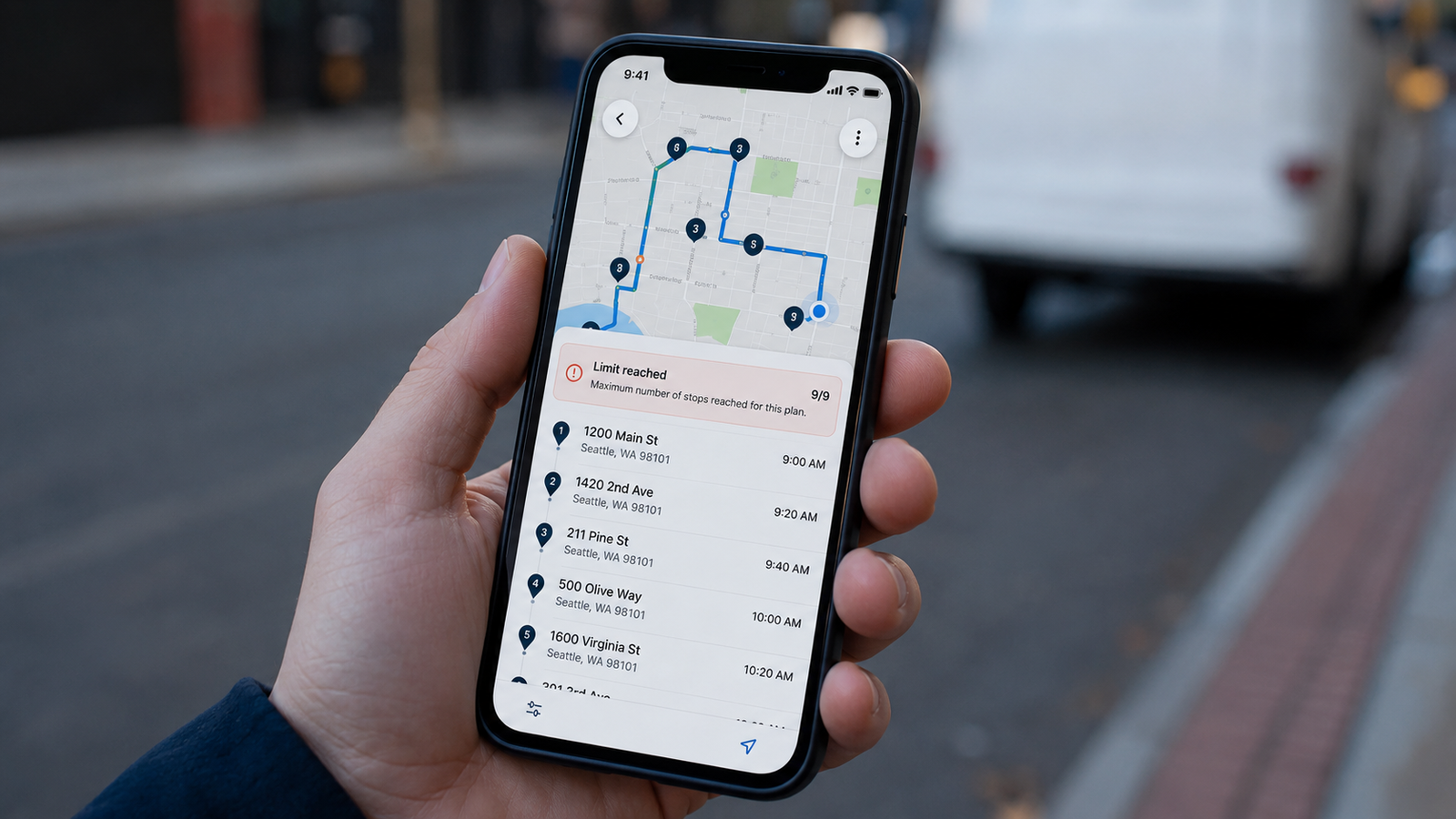
Google Maps Stop Limit: What Is the Maximum Number of Stops? (2026)
The short answer: Google Maps lets you add a maximum of 10 stops per route, and that total includes your starting point. So you really get your start location plus nine destinations before the app stops accepting new ones. That single number trips up millions of delivery drivers, couriers, sales reps, and road-trippers every year — usually right in the middle of building a route, when the "Add stop" option suddenly disappears.
But the full picture is more nuanced than one number. The limit behaves differently depending on whether you are on the app or the desktop, whether you are driving or taking transit, and whether you are using the free consumer app or Google's paid developer platform. This guide lays out the exact Google Maps stop limit in every scenario, explains why it exists, and shows what your options are when 10 stops is not enough.
Need more than 10 stops today?
Delivery Route Planner has no stop limit. Add as many addresses as you need, let it optimize the driving order automatically, and navigate each one in Apple Maps, Google Maps, or Waze with a single tap.
What is the maximum number of stops in Google Maps?
On the free Google Maps app and website, the maximum is 10 waypoints per route, counting your origin. That works out to one start point and nine additional stops. When you try to add an eleventh point, the app simply refuses — there is no warning dialog and no upgrade prompt, the "Add stop" control just stops working.
This is a hard cap, not a preference. There is no hidden setting, no Google account tier, and no in-app purchase on the consumer app that raises it. If you have read that you can get "25 stops," that figure refers to Google's paid developer API, which we cover below — it is not available inside the app you navigate with. For anyone who routinely runs more drops than that, a dedicated route planner is the only practical path, and we explain why later in this guide.
The Google Maps stop limit in every scenario
The 10-point cap is consistent across devices, but the surrounding behavior differs depending on how you are using Google's tools. Here is the complete breakdown.
| Where you are | Maximum stops | Notes |
|---|---|---|
| Google Maps app (iPhone & Android) | 10 (incl. start) | Driving, walking, or cycling |
| Google Maps on desktop browser | 10 (incl. start) | Same cap as the app |
| Transit / public transport routes | 2 (start + end only) | No intermediate stops on transit |
| Google My Maps | Many points | No turn-by-turn navigation |
| Google Maps Platform API (paid) | Up to 25 waypoints | Developer tool, not an app |
Two scenarios in that table surprise people most. First, transit routes allow no intermediate stops at all — only an origin and a destination. Second, Google My Maps will happily hold far more than 10 points, which makes it look like a loophole, but it cannot navigate you turn by turn, so it is a planning canvas rather than a driving tool. If your goal is to actually drive a long route, neither of those bends the rule in a way that helps. That is exactly the situation the Delivery Route Planner was built for.
Why does Google Maps limit you to 10 stops?
The cap is deliberate. The free consumer version of Google Maps runs on a routing engine designed for personal navigation — getting one person from A to B, maybe with a coffee stop in between. It was never meant to handle the forty- or fifty-stop days that delivery drivers and field service techs work through.
Google does offer a higher-capacity routing engine, but it lives in the paid Google Maps Platform API, billed per request and aimed at companies building their own logistics software. Keeping the free app limited to 10 stops is both a technical choice and a commercial one: heavy routing demand is steered toward the paid platform. None of that helps an individual driver, which is why so many of them end up searching for the limit in the first place — and why a purpose-built app that handles unlimited stops has become the standard answer.
The hidden second limit: Google Maps won't optimize your order
Even within those 10 stops, there is a catch that costs drivers real time. Google Maps follows your stops in the exact order you type them — it does not rearrange them into the most efficient sequence.
Worth knowing: A "10-stop route" in Google Maps is only as good as the order you typed it in. If stop 8 is next door to stop 2, Google will still send you back and forth. The only way to fix this in Google Maps is to drag each stop manually and guess — there is no optimize button.
For a handful of stops you can eyeball a decent order. For a real route, manual sequencing is slow and rarely optimal, and the wasted miles add up to extra fuel and hours. Automatic optimization — solving for shortest time or shortest distance across all your stops at once — is the single biggest reason drivers move to a dedicated planner once they outgrow Google Maps.
What to do when 10 stops isn't enough
You have a few options once you hit the limit, in rough order of how much time they cost you:
- Split your list into batches of 10. Build several separate routes and run them one after another. Free, but slow to set up and with no optimization across batches.
- Use a URL-merging tool. Chain several short routes into one link. A useful trick for pre-planned trips, but still bound by the underlying cap and offers no optimization.
- Use Google My Maps for planning. Plot all your points visually, then navigate each leg separately — remembering there is no turn-by-turn guidance.
- Switch to a dedicated route planner. Add unlimited stops, optimize the whole route automatically, and keep using Apple Maps, Google Maps, or Waze for the actual driving.
If you only break the 10-stop limit once in a blue moon, the free workarounds are fine. If it happens every shift, the math favors an app. You can try Delivery Route Planner free and route a full day's stops in a couple of minutes instead of building five separate Google Maps routes by hand.
No stop limit. No manual reordering.
Add unlimited addresses, get the fastest optimized order in seconds, and navigate every stop with the map app you already use. Built for delivery drivers, couriers, and anyone whose day doesn't fit in 10 stops.
Frequently asked questions
What is the maximum number of stops in Google Maps?
The maximum is 10 waypoints per route, and that count includes your starting point — so one start location plus nine destinations. The same limit applies on the iPhone app, the Android app, and the desktop website, and it cannot be increased on the free consumer version.
Can the Google Maps 10-stop limit be increased?
No. There is no setting, account upgrade, or in-app purchase that raises the 10-stop cap on the consumer Google Maps app. Google's paid developer platform supports up to 25 waypoints, but that is a programming tool, not the app you navigate with. To exceed 10 stops with real navigation, you need a dedicated route planner app.
How many stops can you add on Google Maps mobile vs desktop?
Both the mobile app and the desktop browser version of Google Maps cap routes at the same 10 waypoints, including your start point. Switching between phone and computer does not change the limit.
Why is the Google Maps stop limit only 10?
The free Google Maps app runs on a routing engine built for personal trips, not high-volume delivery routes. Google steers heavy, multi-stop routing demand toward its paid Maps Platform API. The 10-stop cap on the free app is a deliberate product and commercial decision rather than a temporary bug.
Does the stop limit apply to walking and transit routes too?
The 10-stop cap applies to driving, walking, and cycling routes. Public transit routes are more restrictive: Google Maps allows only a start and an end point with no intermediate stops when using transit directions.
What app lets you add unlimited stops and optimize the route?
Delivery Route Planner removes the stop limit entirely, automatically optimizes your stops for the shortest time or distance, and opens each stop in Apple Maps, Google Maps, or Waze for turn-by-turn navigation — so you get unlimited capacity and smart sequencing while keeping the map app you already trust.
google maps stop limitmaximum stops google mapshow many stops can google maps havegoogle maps waypoint limitgoogle maps 10 stopsgoogle maps route stop maximumadd more stops google mapsgoogle maps multi stop limit