Diabetes Logbook App: A Smarter Way to Track (2026)

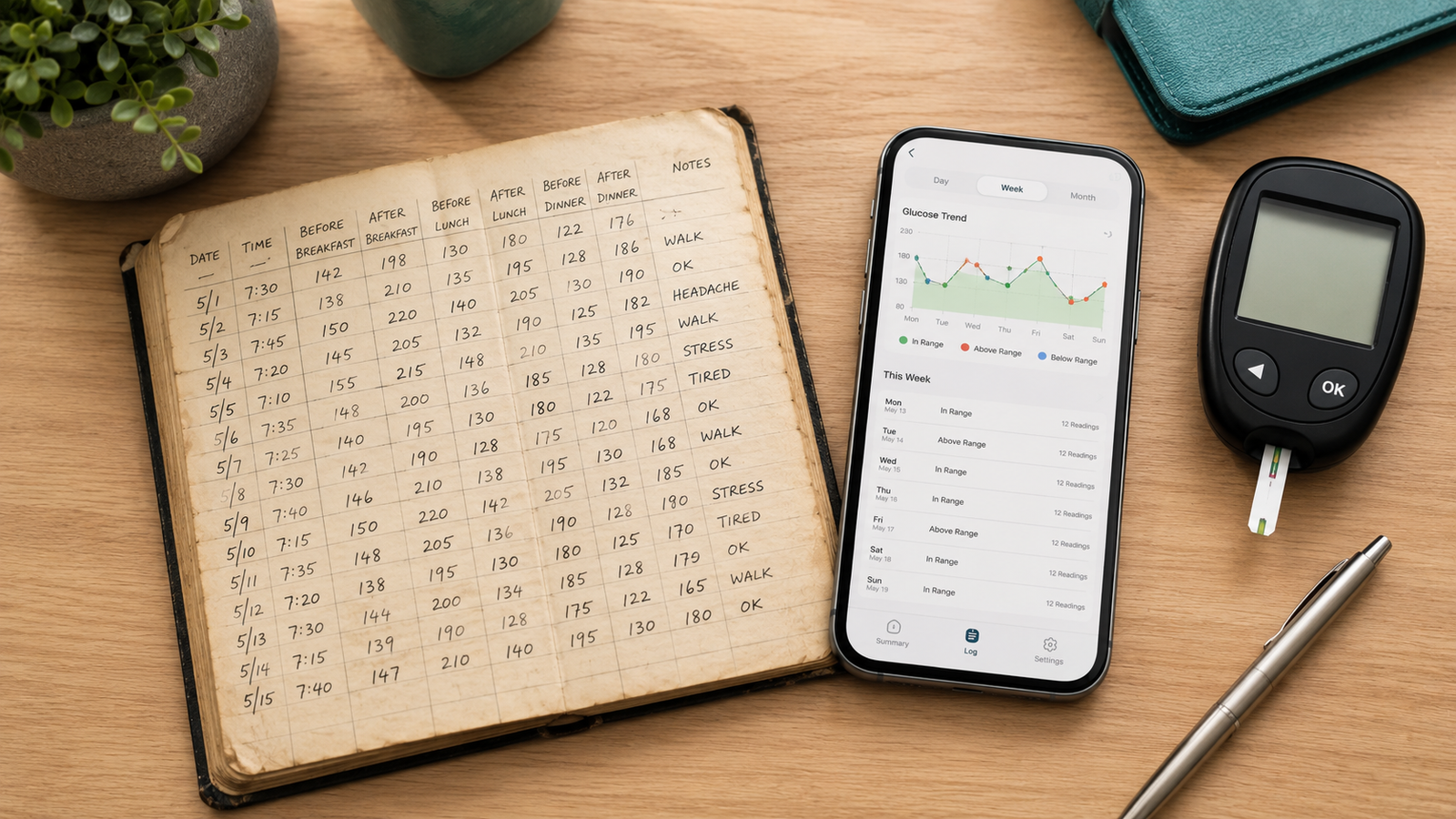
Diabetes Logbook App: The Modern Replacement for the Paper Logbook (2026)
If you live with diabetes, you've almost certainly been handed a little paper logbook at some point — rows and columns to fill in your readings by hand. It works, in theory. In practice, paper logbooks get left at home, fall weeks behind, turn into an unreadable scrawl, and make it nearly impossible to spot a pattern. A diabetes logbook app fixes all of that while doing exactly the same job: keeping an organized record of your numbers.
This guide explains what a diabetes logbook is for, what belongs in it, how a digital logbook compares to paper, and how a logbook app turns your daily readings into something genuinely useful for you and your care team. Current for 2026.
Medical disclaimer: This article is for general information only and is not medical advice. Blood Sugar Monitor is a tracking tool, not a medical device — it logs the readings you take with your own glucose meter or CGM and does not diagnose or treat any condition. Always follow the guidance of your qualified healthcare provider.
Your logbook, finally organized
Blood Sugar Monitor is a digital diabetes logbook for your glucose, insulin, blood pressure, weight, A1c, and cholesterol — with charts, reminders, and reports you can share with your doctor. Free to start.
What is a diabetes logbook?
A diabetes logbook is simply an organized record of your blood sugar readings, usually kept alongside related details like the time of day, what you ate, your medication, and how you were feeling. Clinics have handed out paper versions for decades because the record serves two purposes: it helps you understand how your body responds day to day, and it gives your doctor the information they need to fine-tune your plan. A diabetes logbook app does the same thing in digital form — you can think of it as the paper booklet, minus the downsides. Keeping it in a logbook app means it's always with you and never falls behind on legibility.
What to record in a diabetes logbook
A reading on its own is only half the story; the context around it is what makes a logbook useful. Most people benefit from recording:
- Glucose readings — the core entry, with the date and time.
- Time-of-day context — fasting, before or after a meal, bedtime.
- Insulin and medication — what you took and when.
- Meals — at least a note of what you ate, since food drives your numbers.
- Activity — exercise affects glucose, so it's worth a note.
- How you felt — illness, stress, or symptoms that explain an unusual reading.
You don't have to capture all of it every time — but the more context attached to each reading, the more sense the patterns make later. A good logbook app lets you add notes and tags quickly so context doesn't slow you down. Your doctor can advise what's most worth recording for your situation.
Paper logbook vs a logbook app
| Aspect | Paper logbook | Logbook app |
|---|---|---|
| Always with you | Easy to leave behind | On your phone |
| Spotting trends | Hard — rows of numbers | Automatic charts |
| Staying consistent | No reminders | Built-in reminders |
| Sharing with a doctor | Hand over the booklet | Export a clean report |
| Losing your records | Gone if misplaced | Backed up, optional sync |
Paper has the virtue of simplicity, and if it works for you there's nothing wrong with it. But for most people the app wins on the things that actually matter day to day — legibility, trends, and not losing months of records to a lost booklet. You can move your logbook into an app and never write a row by hand again.
How a diabetes logbook app works
The flow is straightforward and quick:
- Take your reading with your usual glucose meter or CGM.
- Log it in the app, adding context like meal timing, medication, or a quick note.
- Review your trends on charts that plot your readings against your target range.
- Export a report when it's time for an appointment, to share with your doctor.
Reminders nudge you to log so your record stays complete, and everything sits in one place ready whenever you need it. You can try that flow free.
Why people switch from paper to an app
The reasons drivers of the switch are consistent: the logbook is always in your pocket, your handwriting is never the problem, patterns jump out on a chart instead of hiding in a grid, reminders keep the record complete, and you can hand your doctor a tidy summary instead of a dog-eared booklet. On top of that, a modern logbook app can track more than glucose alone — insulin, blood pressure, weight, A1c, and cholesterol — so your whole picture lives in one record rather than several.
Make it a habit
A logbook only helps if you keep it. The advantage of an app is that it removes the friction that makes paper logbooks lapse — it's always with you, logging takes seconds, and reminders keep you honest. Set it up, turn on reminders, add a little context to each entry, and let your record build. Over weeks and months, that steady digital logbook becomes one of the most useful things you can bring to your own care.
Trade the paper booklet for a smarter logbook
Log glucose, insulin, blood pressure, weight, A1c, and cholesterol in one place, see your trends on clear charts, set reminders, and export reports for your doctor — free to start.
Frequently asked questions
What is a diabetes logbook app?
It's a digital version of the paper diabetes logbook — an app where you record your blood sugar readings along with context like meals, medication, and activity. It organizes your entries into charts, sends reminders to log, and lets you export reports to share with your doctor.
What should I record in a diabetes logbook?
The core entry is your glucose reading with the date and time. It's also helpful to note whether it was fasting or around a meal, any insulin or medication taken, what you ate, your activity, and how you felt. The more context attached, the easier it is to understand your patterns. Your doctor can advise what matters most for you.
Is a logbook app better than a paper logbook?
For most people, yes — an app is always with you, turns your readings into charts, reminds you to log, keeps your records safe, and lets you share a clean report with your doctor. Paper still works if you prefer it, but it's easy to leave behind, fall behind on, and hard to spot trends in.
Does a diabetes logbook app measure my blood sugar?
No. A logbook app records the readings you take with your own glucose meter or CGM — it doesn't measure your blood sugar itself. No phone app can take the reading for you, so your meter or sensor is still essential.
Can I use a diabetes logbook app for type 1 and type 2 diabetes?
A logbook app simply records readings and context, so it can be used whatever your type of diabetes or whether you're managing prediabetes. How you should use it — what to log and how often — is something to confirm with your own healthcare provider.
Can I share my diabetes logbook with my doctor?
Yes. A good logbook app lets you export your readings as a report — often as a PDF or CSV — covering the date range you choose, so you can print it, email it, or show it at your appointment instead of handing over a paper booklet.
diabetes logbook appdigital diabetes logbookblood sugar logbook appdiabetes diary appglucose logbook appwhat to record in diabetes logbookpaper vs app diabetes logdiabetes log app for doctor