Best White Balance for Indoor Photography (Settings)

Best White Balance for Indoor Photography (Settings Guide)
Indoor photography is where white balance gets tricky. Outdoors you mostly deal with daylight, but indoors you face tungsten bulbs, warm and cool LEDs, fluorescent tubes, window light, and often several of them at once — each pulling your colors a different direction. Get white balance wrong and skin looks orange, whites look blue, and the whole shot feels off. Get it right and your colors are clean and true.
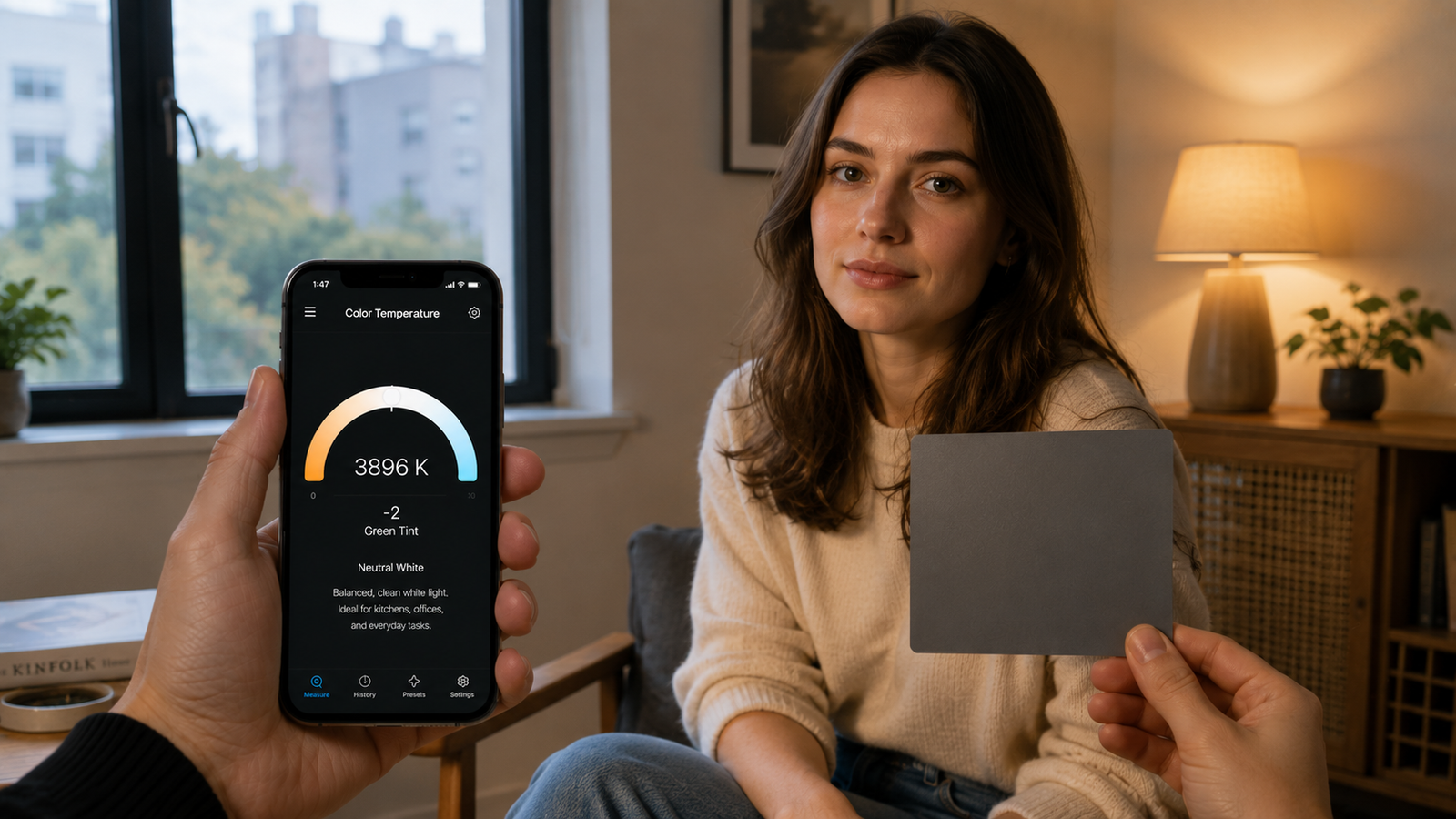
This guide gives recommended white balance settings for every common indoor lighting situation, explains when to use auto, preset, or custom, and shows the most reliable approach of all: measuring the light and setting it deliberately. You can measure your indoor light's color temperature with your phone to get an exact starting point.
📲 Measure the light, set the perfect WB
Kelvin Light Scale reads the color temperature and tint of any indoor scene, so you can dial in custom white balance instead of guessing.
Why indoor white balance is hard
Indoor light sources span a huge color-temperature range, from very warm tungsten to cool daylight LEDs, and many add a green or magenta tint that Kelvin alone doesn't capture. Worse, rooms often mix sources — a window on one wall, a warm lamp on another. Auto white balance tries to average all of this and frequently guesses wrong, which is why indoor shots are the ones most likely to come out with a color cast. The fix is to know the actual temperature, which you can read directly.
Recommended white balance by indoor light source
Use these as starting points, then fine-tune to taste:
| Indoor light source | Approx. Kelvin | Notes |
|---|---|---|
| Warm LED / incandescent | 2,700–3,000K | Classic cozy home lighting |
| Tungsten / studio hot lights | 3,200K | Standard tungsten reference |
| Neutral / cool LED | 4,000–4,500K | Common in kitchens, offices |
| Fluorescent | 4,000–5,000K | Often needs green/magenta tint fix |
| Window / indoor daylight | 5,500–6,500K | Varies with time and sky |
If you measure your room at, say, 3,200K, setting your camera to roughly 3,200K neutralizes the warm cast. You can grab that exact reading rather than starting from a guess.
Auto, preset, or custom: which to use indoors
Auto white balance (AWB) is convenient but unreliable indoors, where it drifts between frames and misreads colored or mixed lighting. Presets (the “tungsten” or “fluorescent” icons) are better than auto but are rough approximations that ignore your room's specifics. Custom or manual white balance — setting a measured Kelvin value or using a gray card — is the most accurate and consistent, and it's the approach serious indoor work relies on. Measuring first makes custom WB effortless; you can read the value and enter it.
The best approach: measure and set it
- Measure the scene off a white or gray card with a color-temperature app to get the Kelvin value.
- Set your camera's white balance to that value in manual/Kelvin mode.
- Correct the tint too — if the app reports a green or magenta shift, adjust it, especially under fluorescent or LED.
- Lock it for the shoot so every frame stays consistent.
This single habit eliminates most indoor color problems before they happen, and it's fast once you can read the number in seconds.
💡 Pro tip
Kelvin isn't the whole story indoors. LED and fluorescent lights often have a green tint that no Kelvin setting removes — you also need to shift toward magenta. If your readings include tint or Duv, correct that too; it's what separates “almost right” from genuinely clean color.
Handling mixed indoor lighting
Mixed light is the hardest indoor situation: window daylight at 6,000K on one side, a warm lamp at 2,800K on the other. No single white balance neutralizes both. Your options are to balance for your subject's main (key) light and let the rest fall where it does, to turn off or gel one source so the room is more uniform, or to embrace the contrast creatively. Measuring each source tells you how far apart they are so you can decide, which you can do by checking each light individually.
Shoot RAW for a safety net
Even with careful white balance, shooting in RAW lets you adjust color temperature after the fact with no quality loss, because RAW stores the full sensor data rather than baking in a setting. Set your white balance as accurately as you can in-camera — it speeds up editing and gets previews right — but RAW gives you the freedom to refine. Combine a measured starting point with RAW and indoor color becomes very forgiving. You can capture the reference reading before you shoot.
✅ The verdict
The best indoor white balance is a measured one. Read the scene's color temperature and tint, set a matching custom value, lock it for consistency, and shoot RAW for flexibility. That beats auto white balance in almost every indoor situation.
Indoor light doesn't have to be a guessing game. Once you measure the temperature and set white balance deliberately, your colors come out clean the first time and your editing gets faster. Start by reading your room — you can measure it now.
Clean indoor color, every shot
Kelvin Light Scale reads color temperature, tint, lux, and exposure from your iPhone — everything you need to nail indoor white balance. Free to start, with pro metrics when you want them.
Frequently asked questions
What white balance should I use for indoor photography?
Match it to your light source: about 2,700–3,000K for warm LEDs, 3,200K for tungsten, 4,000–4,500K for neutral LEDs, 4,000–5,000K for fluorescent, and 5,500–6,500K for window daylight. The most accurate method is to measure the scene and set a custom Kelvin value.
Should I use auto white balance indoors?
Auto white balance is convenient but unreliable indoors, where it drifts between frames and misreads mixed or colored lighting. For consistent results, set a custom or manual white balance based on a measured value instead.
What Kelvin is indoor lighting?
It varies widely: warm home bulbs are 2,700–3,000K, tungsten is 3,200K, neutral and cool LEDs are 4,000–4,500K, fluorescent is 4,000–5,000K, and window daylight is 5,500–6,500K. Measuring tells you exactly which your room is.
How do I fix the orange or yellow color in indoor photos?
That cast comes from warm lighting. Set your white balance to match the warm source — around 2,700–3,200K — which neutralizes the orange. Measuring the actual temperature and entering it as a custom value gives the cleanest result.
Why do my indoor photos have a green tint?
Fluorescent and some LED lights add a green tint that Kelvin adjustment alone won't fix. You need to shift the tint toward magenta as well. A meter or app that reports tint or Duv tells you how much correction to apply.
Does shooting RAW help with indoor white balance?
Yes. RAW files store full sensor data, so you can adjust color temperature after shooting with no quality loss. Setting an accurate white balance in-camera still helps with previews and editing speed, but RAW gives you a safety net.
best white balance for indoor photographyindoor white balance settingskelvin for indoor photographycustom white balance indoorsfix orange indoor photosmixed lighting white balanceindoor photography color casttungsten white balance