Best Free Proof of Delivery App for Drivers (2026)

The Best Free Proof of Delivery App for Drivers (2026 Guide)
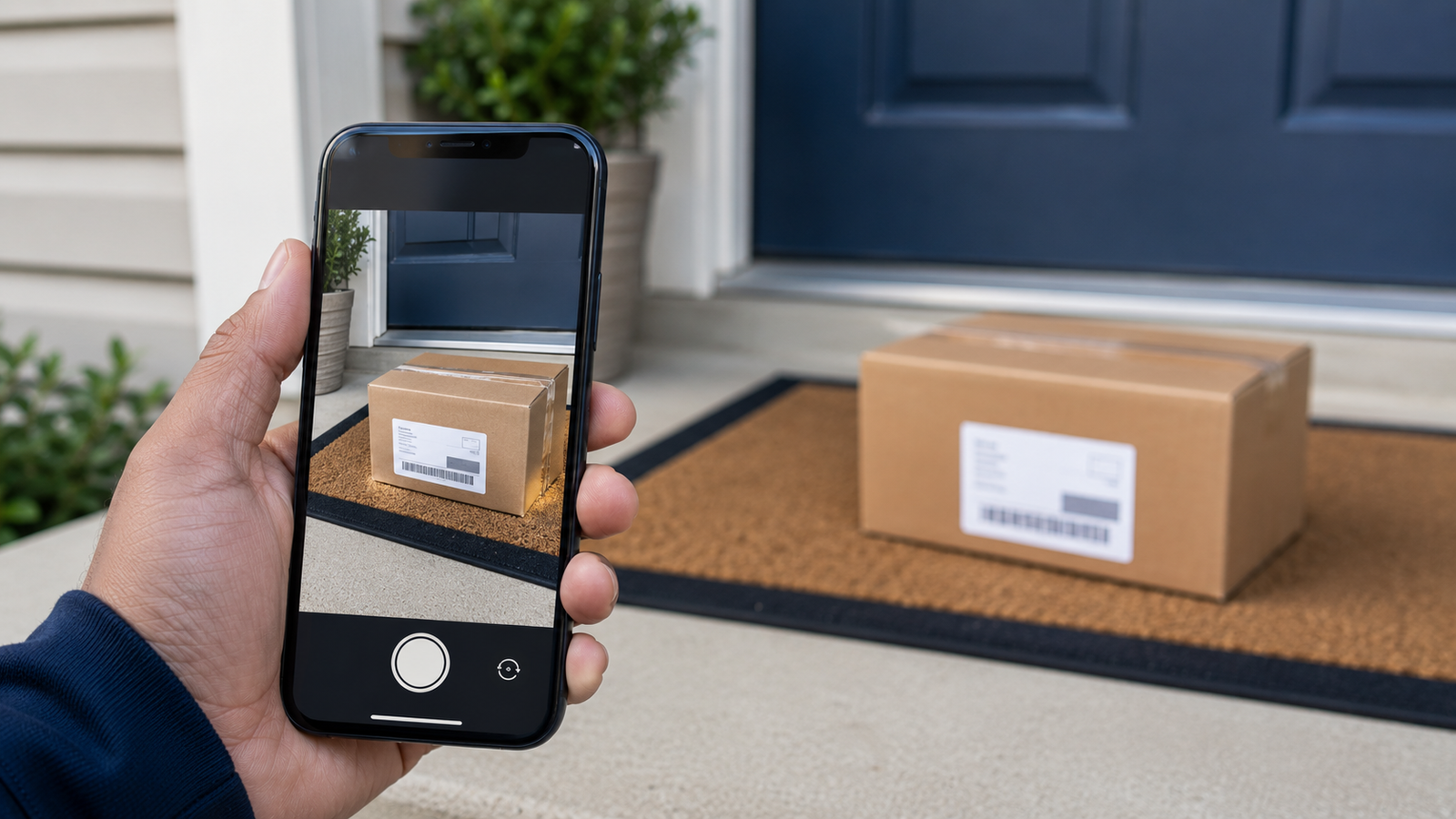
"I never got my package." It's the claim every delivery driver dreads — and without evidence, it's your word against the customer's. That's exactly what proof of delivery solves. A quick photo at the door, a timestamp, a note, and suddenly there's no dispute: the package was delivered, here's where, here's when.
This guide explains what proof of delivery (POD) is, why it protects drivers, the different types of POD, what to look for in a free proof-of-delivery app, and how it fits into your day alongside route optimization. If you deliver for a living, this is one of the simplest ways to protect yourself and look professional. Current for 2026.
Proof of delivery, built into your route
Delivery Route Planner lets you snap a proof-of-delivery photo at each stop, add notes, and mark stops delivered or failed — all in the same app that optimizes your route and navigates with Apple Maps, Google Maps, or Waze. Free to download.
What is proof of delivery?
Proof of delivery (POD) is any evidence that a package was actually delivered — most commonly a photo of the package at the drop-off location, often paired with a timestamp, a note, and sometimes a signature. Instead of just marking a stop "done," you capture a record of how and where it was completed. That record is what stands between you and a chargeback or a false non-delivery complaint. Capturing it inside your route planner means it takes seconds and never leaves your workflow.
Why drivers need proof of delivery
POD isn't bureaucracy — it's self-protection. Here's what it does for you:
- Settles "I never got it" disputes. A photo at the door ends the argument before it starts.
- Protects against false claims. Some non-delivery complaints are mistakes; some aren't. Either way, evidence protects your record and your pay.
- Builds customer and client trust. If you deliver for businesses, POD shows you're reliable and accountable — the kind of driver they keep using.
- Keeps you professional. A clean delivery record is an asset whether you're an independent contractor or building a small delivery business.
For the few seconds it takes to snap a photo, the downside protection is enormous. That's why proof of delivery is a standard feature drivers look for in a serious delivery app.
Types of proof of delivery
| Type | What it captures | Best for |
|---|---|---|
| Photo | Where the package was left | Contactless / leave-at-door drops |
| Signature | Recipient confirmation | High-value or signature-required items |
| Notes | Context ("left with neighbor") | Unusual or tricky deliveries |
| Timestamp / status | When it was delivered or failed | Every delivery, as a record |
Most everyday deliveries are well covered by a photo plus a note and a delivered/failed status — quick to capture and more than enough to resolve a dispute. You can capture exactly that at each stop.
What to look for in a free proof of delivery app
When choosing a POD app, the features that matter most are:
- Fast photo capture. You're doing this dozens of times a day, so it has to be a tap or two, not a process.
- Per-stop notes. A place to record where you left it or any issue.
- Delivered / failed status. Clear tracking of what got completed and what didn't.
- It lives with your route. The best POD isn't a separate app — it's built into the planner you're already using to navigate, so capturing proof is part of the same flow.
That last point is the big one. Juggling a separate POD app on top of a route app doubles your taps. A planner that does both keeps you moving.
How proof of delivery works in a route planner
In practice it's seamless and adds almost no time to a stop:
- Arrive and deliver the package as normal.
- Snap a photo of where you left it, right from the stop in your route app.
- Add a note if needed — "left at side door," "handed to recipient."
- Mark it delivered (or failed, if you couldn't complete it) and move to the next stop.
Because it's part of the same app that's already guiding your route, there's no app-switching and no extra friction. You can try the full flow free.
Proof of delivery and route optimization in one app
The real win is having proof of delivery and route planning together. One app scans or imports your stops, optimizes the order, navigates you to each one, and captures proof when you deliver. You're not stitching together a route app, a maps app, and a separate POD tool — it's a single workflow from the first stop to the last. That's what makes a complete delivery driver app more valuable than any standalone POD tool.
About "free": Many delivery apps are free to download with core features included, then charge for higher-volume extras like unlimited stops. When comparing free POD apps, check what's included at no cost versus what needs an upgrade, so you know exactly what you're getting before you rely on it.
Protect every delivery
Snap proof-of-delivery photos, add notes, and mark stops delivered or failed — all inside the app that optimizes your route and navigates with Apple Maps, Google Maps, or Waze. Free to download.
Frequently asked questions
What is a proof of delivery app?
It's an app that lets a driver capture evidence a package was delivered — typically a photo of the drop-off, often with a note, timestamp, and delivered/failed status. That record protects the driver against disputes and false non-delivery claims.
Is there a free proof of delivery app for drivers?
Yes. Several delivery apps are free to download and include proof-of-delivery photos as a core feature, sometimes charging only for higher-volume extras like unlimited stops. The most practical option is a route planner that includes POD so proof capture is built into the same app you use to navigate.
Why do delivery drivers need proof of delivery?
Proof of delivery settles "I never got my package" disputes, protects drivers against false non-delivery claims that can affect their pay and standing, builds trust with customers and clients, and creates a professional delivery record — all for the few seconds it takes to snap a photo.
What counts as proof of delivery?
Common forms include a photo of where the package was left, a recipient signature for high-value items, a note giving context, and a timestamp with delivered or failed status. For most everyday drops, a photo plus a note and a status is plenty.
Can I capture proof of delivery and plan my route in the same app?
Yes, and that's the most efficient setup. A route planner with built-in proof of delivery lets you optimize and navigate your route, then snap a photo and mark each stop delivered without switching apps — one workflow from first stop to last.
Does proof of delivery slow down my deliveries?
Barely. Capturing a photo and marking a stop delivered takes a couple of seconds, especially when it's built into your route app. That tiny bit of time is far outweighed by the protection it gives you against disputes and lost pay.
proof of delivery app for drivers freefree pod appproof of delivery photo appdelivery confirmation apppod app for couriersproof of delivery route plannercapture delivery proofdelivery driver photo proof