Are iPhone Golf Launch Monitor Apps Accurate? What the Data Says

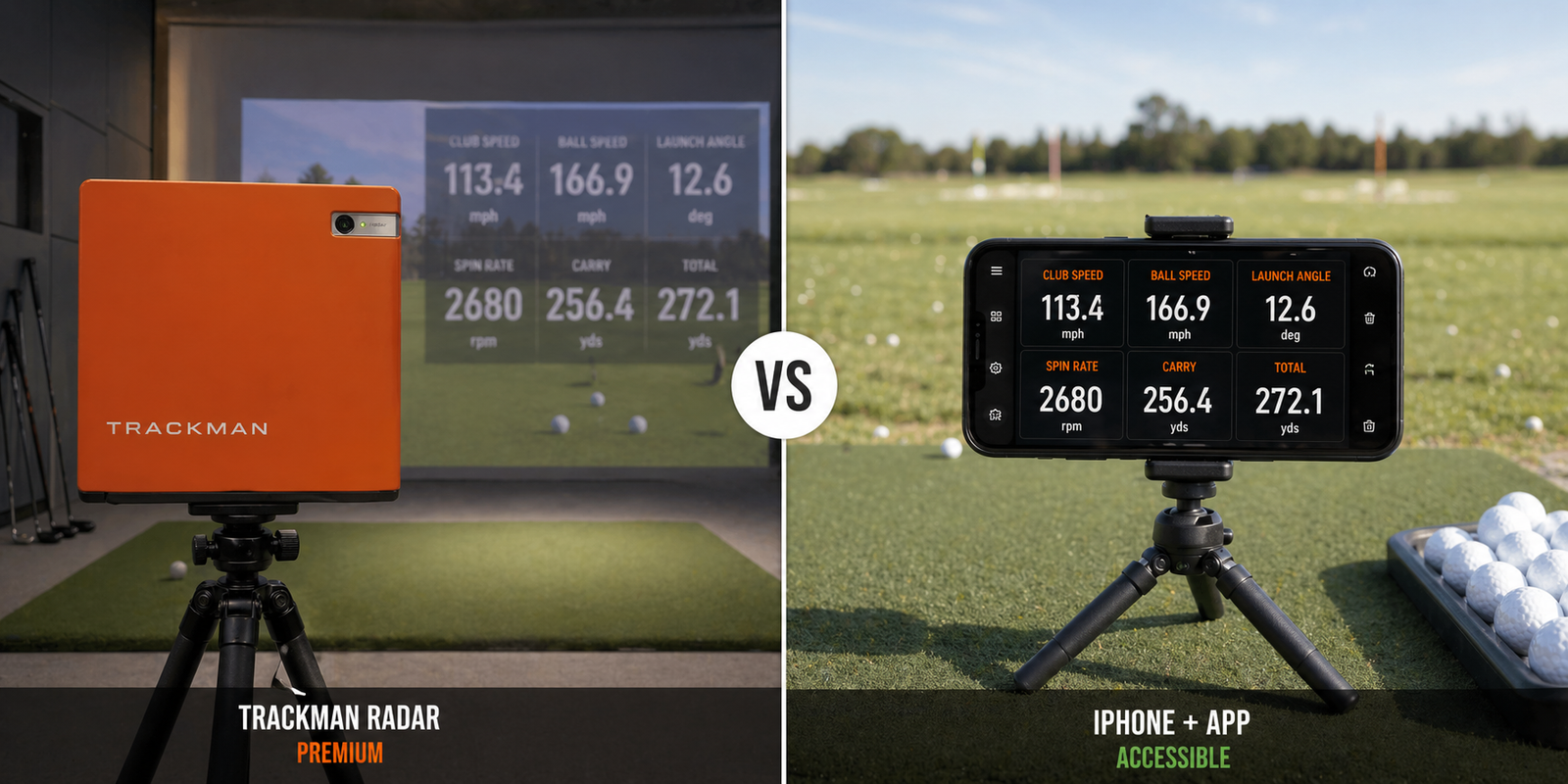
Are iPhone Golf Launch Monitor Apps Accurate? What the Data Says
By Asaru Labs | Golf Technology | 7 min read
The most common question people ask before downloading a golf launch monitor app: is this actually accurate, or am I just looking at made-up numbers? It is a fair question. And the honest answer is more nuanced than a simple yes or no.
This article breaks down how iPhone golf launch monitor apps work under the hood, where they are genuinely accurate, where they fall short, what factors most affect their readings, and how the Golf Launch Monitor app approaches the accuracy problem using machine learning and physics-based ball flight modelling.
See the data for yourself — free.
The Golf Launch Monitor app uses a D-Plane physics engine and hybrid ML + optical flow tracking to deliver professional-grade metrics from your iPhone camera. Ball speed, launch angle, club head speed, spin rate, carry distance — no hardware required.
The honest starting point: what "accurate" actually means
Before comparing technologies, it helps to define what we mean by accuracy in the context of a golf launch monitor. There are two different standards in play:
- Absolute accuracy — how closely does the reading match the true physical measurement? (e.g. TrackMan says 152 mph ball speed; the real ball speed is 152 mph)
- Relative accuracy — how consistently does the reading move in the right direction when something real changes? (e.g. when you make solid contact, ball speed goes up; when you mishit, it goes down)
For most amateur golfers — people trying to understand their swing, track progress, and make better practice decisions — relative accuracy is actually what matters most. You do not need to know your ball speed is exactly 143.7 mph. You need to know that your ball speed increased from an average of 138 to 144 mph over eight weeks of training, and that the 144 mph shots correlate with solid contact in the middle of the face.
With that framing, iPhone golf launch monitor apps are significantly more useful than the sceptics give them credit for. But let us go deeper.
How iPhone golf launch monitor apps actually work
To understand accuracy, you first need to understand what is happening technically. iPhone-based launch monitors use one of two approaches, or a combination of both:
1. Computer vision + optical flow tracking
The app uses the iPhone's camera to capture the impact zone and the first portion of ball flight at high frame rates. Computer vision algorithms identify the ball in the initial frames, then optical flow tracking follows the ball's movement across subsequent frames. From that movement data — how many pixels the ball travels per frame, calibrated against a known field of view — the app calculates ball speed, launch angle, and trajectory.
2. Machine learning detection at impact
A trained ML model detects the precise moment of impact and identifies the ball and club face in that frame. This gives the system an accurate starting point for all subsequent calculations. Without a reliable impact detection model, every downstream metric is built on shaky foundations.
How the Golf Launch Monitor app combines both
The Golf Launch Monitor app uses a hybrid approach: ML-based impact detection combined with high-speed optical flow tracking post-impact. Version 1.1 introduced a rebuilt physics engine based on D-Plane calculations — the same ball flight model used by professional launch monitor manufacturers — to derive spin rate and carry distance from the trajectory data rather than estimating them from lookup tables. This is a meaningful distinction. Physics-based derivation adapts to your actual ball flight; table-based estimation assumes an average golfer hitting an average shot.
"Physics-based derivation adapts to your actual ball flight. Table-based estimation assumes an average golfer hitting an average shot."
Metric-by-metric accuracy: what iPhone apps do well and where they struggle
Not all launch monitor metrics are equally difficult to measure. Here is an honest breakdown by metric:
| Metric | Accuracy rating | Notes |
|---|---|---|
| Ball speed | ★★★★★ Very good | Directly calculated from frame-by-frame tracking. Most reliable metric. |
| Launch angle | ★★★★★ Very good | Geometrically straightforward from initial trajectory. Very reliable. |
| Carry distance | ★★★★☆ Good | Physics-derived from ball speed + launch angle. Wind and altitude not accounted for. |
| Club head speed | ★★★★☆ Good | Derived from ball speed / smash factor relationship. Strong with correct setup. |
| Spin rate | ★★★☆☆ Reasonable | Physics-derived from trajectory. Directionally reliable; absolute number may vary ±10–15% vs radar. |
| Spin axis / shot shape | ★★★☆☆ Reasonable | Good at identifying draw vs fade tendency. Absolute axis angle less precise. |
Ball speed and launch angle — the strongest metrics
These two are the most directly observable from camera data. Ball speed is calculated from how far the ball moves across a known field of view in a known number of frames. Launch angle is the vertical angle of the ball's initial trajectory. Both are geometrically straightforward to derive from quality video tracking, and both are where iPhone apps perform most closely to hardware alternatives.
Carry distance — very usable with caveats
Carry distance is calculated from ball speed, launch angle, and a physics model of ball flight. Apps that use proper aerodynamic models (rather than simple range tables) give reliable carry estimates. The caveat is that wind, altitude, and temperature all affect real carry distance but cannot be fully accounted for from camera data alone. Treat carry distance as an indoor/calm-conditions estimate and you will find it highly consistent.
Club head speed — good with correct setup
Club head speed is derived from the relationship between ball speed and smash factor — the physics of how efficiently energy transfers from club to ball. It is not directly measured by tracking the clubhead itself (the clubhead moves too fast and is often partially obscured at impact). A well-set-up iPhone session with good lighting and a stable tripod produces club head speed readings that are highly useful for practice and progress tracking.
Spin rate — physics-derived, not directly measured
This is the most technically challenging metric for any camera-based system. Radar-based hardware monitors like TrackMan use Doppler to directly measure ball rotation. Camera-based apps derive spin from the ball's trajectory — a higher-spinning ball curves and decelerates differently than a lower-spinning one, and the D-Plane physics model in the Golf Launch Monitor app uses this relationship to back-calculate spin. The direction and magnitude of spin rate are reliable. The absolute number may differ from a high-end radar unit by a margin of 10–15%, which is within the acceptable range for practice purposes.
iPhone launch monitor app vs hardware: how they compare
| Factor | iPhone app (Golf Launch Monitor) |
Entry radar (Garmin R10, Rapsodo MLM1) |
Premium radar (TrackMan, GCQuad) |
|---|---|---|---|
| Cost | Free (premium from $2.99/mo) | $200–$500 | $5,000–$25,000 |
| Hardware required | iPhone only | Dedicated device + phone | Dedicated device |
| Ball speed accuracy | Very good | Excellent | Industry reference |
| Launch angle accuracy | Very good | Excellent | Industry reference |
| Spin rate accuracy | Reasonable (physics-derived) | Good (Doppler-assisted) | Excellent (direct measurement) |
| Indoor use | Yes (8ft+ ball flight needed) | Yes | Yes |
| Session export (PDF/CSV) | Yes (premium) | Yes | Yes |
| Shot dispersion tracking | Yes | Yes | Yes |
| Portability | Always with you | Carry separately | Heavy / fixed installation |
The five factors that most affect iPhone launch monitor accuracy
The gap between a well-set-up iPhone session and a poorly-set-up one is far larger than the gap between a well-set-up iPhone session and a mid-range radar device. Here is what matters most:
1. Phone stability
Any movement of the phone between frames introduces error into every metric. A tripod is non-negotiable. Even a $15 flexible mini tripod is enough — what matters is that the phone does not move during the swing.
2. Positioning and distance
The phone needs to be 6–8 feet behind the ball along the target line, in landscape orientation. Too close, and the ball exits the frame before enough tracking data is captured. Too far, and the ball appears too small for reliable detection. Getting this right is the single biggest accuracy lever available to you.
3. Lighting quality
Consistent, bright light gives the tracking algorithm the contrast it needs to follow the ball reliably. Bright overcast daylight is ideal. Direct sunlight pointing into the lens, harsh artificial shadows crossing the impact zone, or low-light indoor conditions all reduce tracking fidelity. Good lighting alone can bring a mediocre session up to a very reliable one.
4. Ball quality
Premium golf balls are round, white, and consistent in size and reflectivity — exactly what computer vision models are trained on. Heavily scuffed range balls, practice balls with markings, and non-standard balls (foam, wiffle) produce noisier tracking and less reliable readings. Use the same ball you play on the course.
5. Ball visibility in frame
The ball must be clearly visible in the centre of the frame before impact, with open space ahead of it for the tracking to follow. If it is cut off at the edge, or if your stance obscures it from the camera's view at the moment of impact, the tracking algorithm loses the thread and the reading will be unreliable or missing.
Simple accuracy test: Set up your session correctly, hit 10 shots with the same club, and note your ball speed average. Then deliberately move the phone too close (under 4 feet) and hit another 5 shots. You will see the readings become more erratic. Move it back to the correct position and they will settle again. This demonstrates how much of the accuracy is in your setup, not the technology itself.
Who should use an iPhone launch monitor app vs radar hardware?
| If you are… | Best choice | Why |
|---|---|---|
| A casual or beginner golfer who wants to understand your swing | iPhone app | Free, always with you, more than accurate enough for learning and baseline measurement |
| An amateur golfer wanting to track improvement over time | iPhone app | Relative accuracy is excellent for progress tracking; no extra hardware to carry |
| A serious amateur doing equipment fitting or speed training | iPhone app + consider entry radar | iPhone app gives strong direction; entry radar adds confidence on spin and absolute numbers |
| A club fitter or teaching professional needing certified metrics | Premium radar (TrackMan, GCQuad) | Absolute accuracy matters when making fitting recommendations for clients |
| A tour professional | Premium radar | Marginal gains at elite level require the most precise data available |
The verdict
BOTTOM LINE
For the vast majority of golfers — anyone who is not a tour professional or a certified club fitter — a well-set-up iPhone golf launch monitor app is accurate enough to meaningfully improve your practice and understanding of your swing. Ball speed and launch angle are very reliable. Carry distance and club head speed are strong with correct positioning. Spin rate is directionally accurate and useful for identifying problems, even if the absolute number differs slightly from radar hardware.
The question should not be "is it as accurate as TrackMan?" The question should be "is it accurate enough to help me improve?" For 95% of golfers, the answer is yes — and the Golf Launch Monitor app is one of the most technically rigorous iPhone implementations available, using D-Plane physics modelling and hybrid ML tracking that closes a significant portion of the gap to dedicated hardware.
The bigger risk is not using inaccurate data — it is not using any data at all, and continuing to practice by feel with no feedback loop. An iPhone launch monitor session, done correctly, is dramatically better than hitting balls blindly.
Try it and judge the accuracy for yourself — free.
Download the Golf Launch Monitor app, set up your tripod at the range, and compare your readings to your known yardages. Most golfers are surprised by how close the numbers are.
Frequently asked questions
Can you really use your phone as a golf launch monitor?
Yes. Modern iPhones have cameras fast and powerful enough to track a golf ball through impact and calculate ball speed, launch angle, carry distance, club head speed, and spin rate using computer vision and machine learning. The Golf Launch Monitor app does this without any additional hardware — just your phone and a tripod.
How accurate is an iPhone golf launch monitor app compared to TrackMan?
For ball speed and launch angle, iPhone apps using proper optical flow tracking are typically within 2–5% of radar-based systems like TrackMan when set up correctly. Spin rate is less precise — physics-derived spin can differ by 10–15% from direct Doppler measurement. For practice and improvement purposes, these margins are well within useful range for any amateur golfer.
What is the most accurate golf launch monitor app for iPhone?
Apps that combine machine learning impact detection with physics-based ball flight modelling produce the most reliable readings. The Golf Launch Monitor app uses a D-Plane physics engine alongside hybrid ML and optical flow tracking — the same physics framework used by professional monitor manufacturers — which gives it a meaningful accuracy advantage over apps that rely solely on simple trajectory estimation.
Does lighting affect iPhone launch monitor accuracy?
Yes, significantly. Consistent bright daylight gives the best results. Harsh shadows crossing the impact zone, direct sunlight into the lens, or low-light indoor settings all reduce the camera's ability to track the ball reliably across frames, which affects every downstream metric. Overcast outdoor conditions or a well-lit indoor range bay are the most reliable environments.
Are iPhone golf apps accurate enough for club fitting?
For a casual self-fitting — identifying whether you need a softer shaft, a higher-lofted driver, or that your gapping is off — yes, iPhone apps give you enough directional information to make useful equipment decisions. For professional club fitting where small absolute differences matter (as in a tour fitting scenario), dedicated radar hardware remains the standard.
Do I need extra hardware to use an iPhone golf launch monitor app?
No. The Golf Launch Monitor app uses only your iPhone's built-in camera — no sensors, no Bluetooth devices, no radar attachments. The only accessory that meaningfully improves accuracy is a small tripod, which costs around $15–30 and keeps the phone stable during the swing.
are iPhone golf launch monitor apps accuratecan you use phone as launch monitoriPhone golf app accuracygolf launch monitor app vs radarphone launch monitor accuracyiPhone vs TrackMan accuracygolf tracking app accuracymobile launch monitor review